Real Time Notifications for Restaurant Operations
Published on
By Tony Newcome — Founder of AnchOps · Owner, Pizza Harbour
This article was drafted with AI assistance and reviewed by Tony Newcome, a working restaurant operator.
Real-time notifications only improve restaurant operations when they protect attention: route each alert to the person who can act, attach the context to act on, and set thresholds high enough that labor variance doesn't drown in low-stock noise. Volume is the failure mode — a message can arrive instantly and still fail if it competes with a dozen trivial interruptions.
That's the hidden danger of real time notifications in restaurant operations. A message can arrive instantly and still fail operationally if it reaches the wrong person, lacks context, or competes with too many low-value interruptions. The strongest systems don't maximize message volume. They protect attention, route meaningful signals, and make the next action obvious.
Table of Contents
- The Notification Overload Problem in Restaurants
- Noise looks like activity
- How Real Time Notifications Actually Work
- Delivery speed isn't the same as arrival
- Configure the recipient before the channel
- Concrete Benefits for Restaurant Operations
- Labor control during the shift
- Coverage without group-text chaos
- Reminders that support attendance
- Setting Up Notifications with Smart Thresholds
- 1. Select events that require action
- 2. Define thresholds with context
- 3. Route by responsibility
- 4. Test, then refine
- Integration Considerations for POS and Scheduling Tools
- POS integration
- Scheduling integration
- Native connections versus connectors
- KPIs to Track Notification Effectiveness
- Baselines prevent false confidence
- Implementation Checklist and Real-World Examples
The Notification Overload Problem in Restaurants
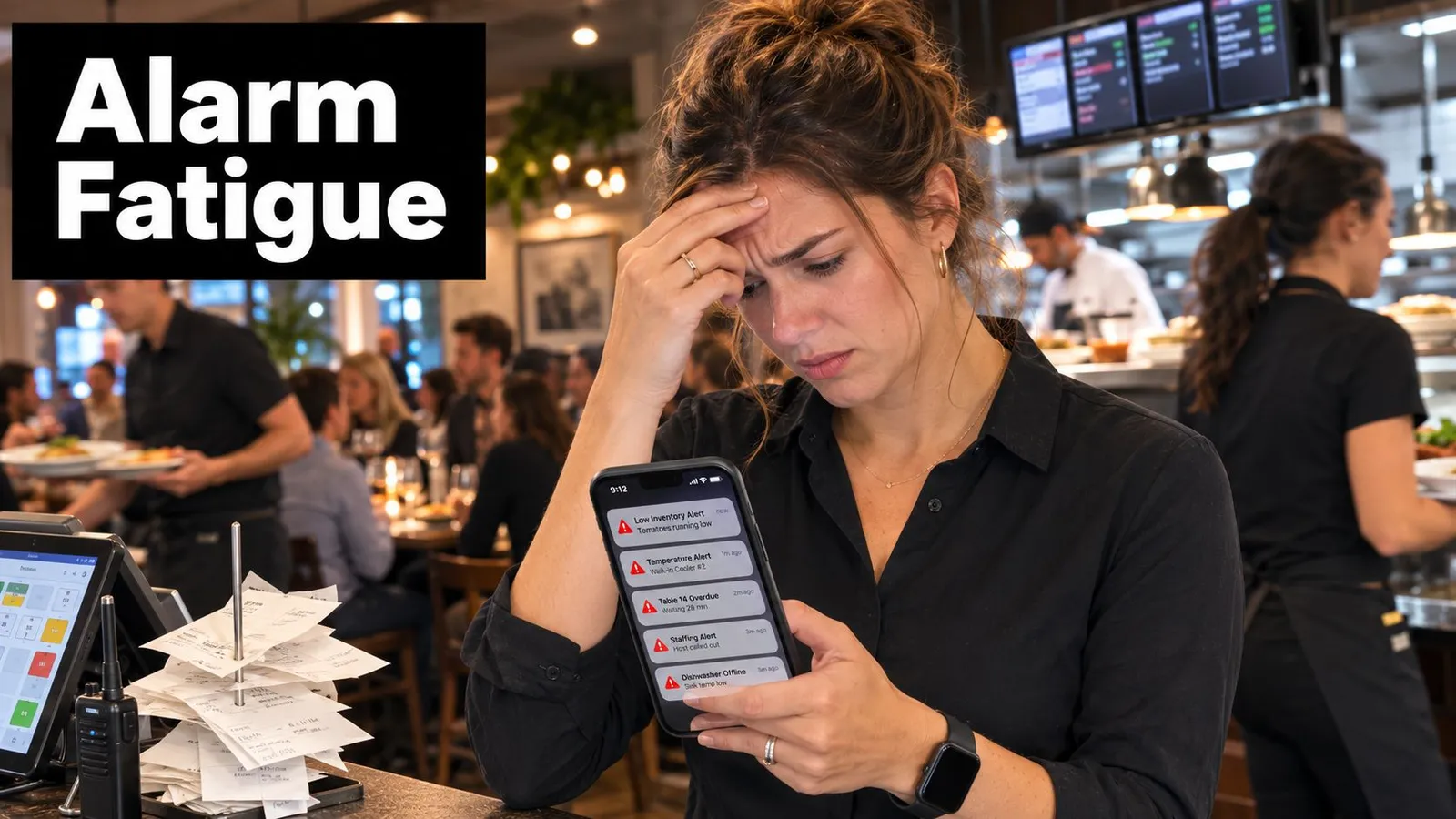
A manager can't treat every alert as urgent during a live shift. A schedule change may matter to one employee but not the closing supervisor. A low-inventory warning might require a purchasing decision later, not an immediate interruption during the rush. A missed clock-in, uncovered position, or labor overage may require action within minutes.
Restaurants make notification design unusually difficult because the operation changes continuously. The right recipient depends on the shift, station, role, location, and current workload. The same message can be useful at one moment and disruptive at another.
Microsoft's 2025 workplace research found that heavy users received 275 meetings, emails, or chat notifications in 24 hours, while the core workday averaged one interruption every two minutes. Independent research linked work notifications to longer refocus time, perceived performance decrements, reduced work quality, and difficulty completing complex tasks, as documented in this workplace notification overload research.
Noise looks like activity
Many restaurant systems fail because they send raw events instead of decisions. “Employee changed availability” is an event. “Tonight's closing shift is now uncovered, and these qualified employees are available” is an actionable alert.
A similar distinction applies to waitlists. A host doesn't need every table-status change broadcast to the whole team. They need a clear signal when a party is ready to be seated, when a table is approaching readiness, or when a guest requires follow-up. Practical real-time waitlist software tips can help operators separate guest-facing updates from internal noise.
Practical rule: If the recipient can't tell what changed, why it matters, and what to do next, the alert probably isn't ready to send.
Your communication stack matters too. An internal team communication app can centralize operational messages, but centralization alone won't solve overload. The manager still needs priority rules, ownership, quiet periods, and escalation paths.
Alarm fatigue starts when every alert uses the same sound, channel, and urgency. Once employees learn that most pings can wait, important alerts lose their advantage. In a restaurant, that can delay coverage, guest recovery, safety action, or labor control during the narrow window when a decision still helps.
How Do Real-Time Notifications Actually Work?
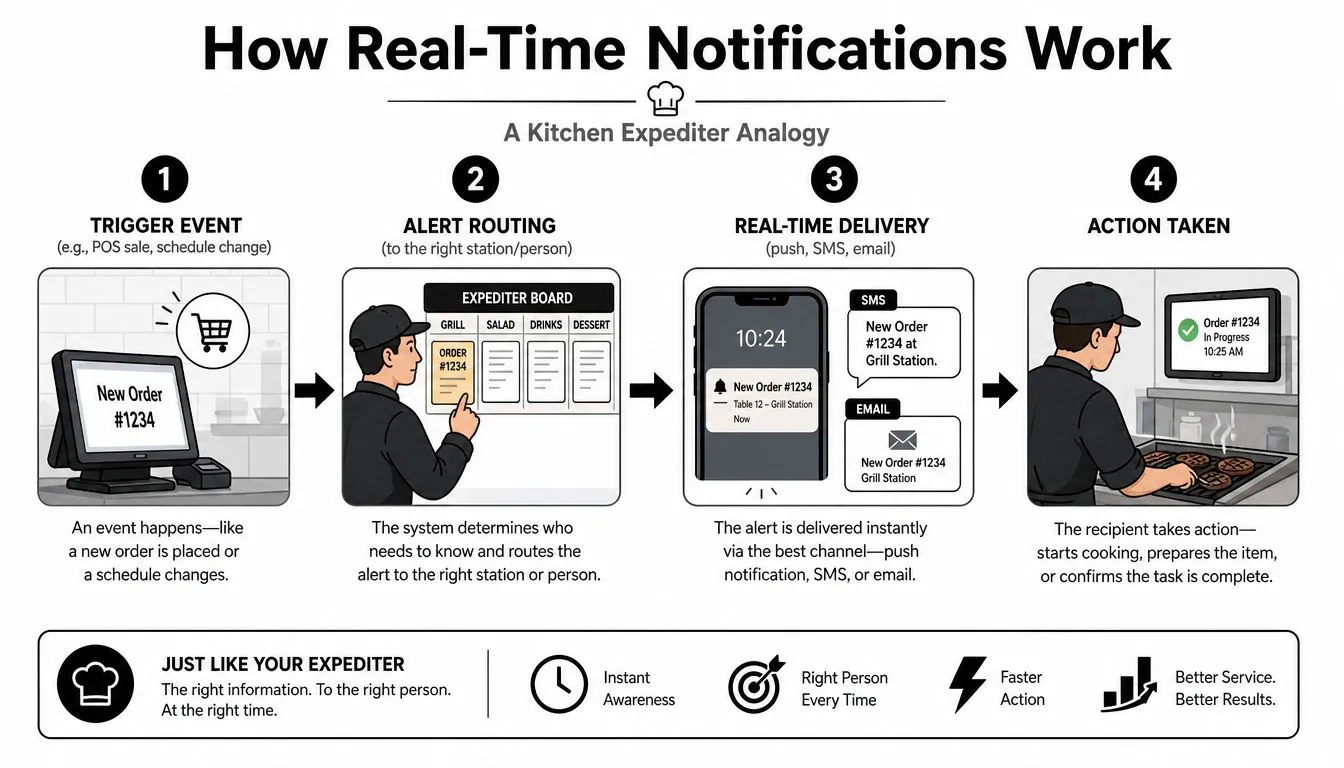
Think of a notification system as the kitchen expediter. The expediter doesn't shout every ticket to every station. They read the order, identify what needs attention, route each item to the right person, and confirm that the plate moves.
A reliable pipeline has four parts:
- Trigger event: Something changes. A POS records sales, an employee drops a shift, a manager publishes a schedule, or actual labor moves beyond an approved operating limit.
- Alert routing: The system identifies the responsible recipient. A shift coverage request may go to qualified employees first, while a labor warning goes to the manager on duty.
- Real-time delivery: The message travels through push notification, an in-app alert, SMS, email, or a combination of channels.
- Action and acknowledgment: Someone accepts the shift, approves the change, adjusts staffing, or confirms that the issue is being handled.
Delivery speed isn't the same as arrival
Push notifications usually reach a mobile operating system through services such as Apple Push Notification service or Firebase Cloud Messaging. In-app alerts appear when the employee is using the application. SMS can be useful when app permissions are unavailable, but it creates a separate communication path that may be harder to govern.
A 2026 benchmark measured API acceptance latency, not final handset delivery. Median response times were 43 ms for Expo, 65 ms for Apple Push, 82 ms for Firebase FCM, and 218 ms for OneSignal, showing that backend submission can be sub-100 milliseconds for several providers even though platform routing, network conditions, and OS behavior still affect handset delivery. The provider comparison is detailed in this push API latency benchmark.
That distinction matters during a shift. A fast backend can submit an alert quickly, but the employee may have notifications disabled, poor connectivity, a sleeping device, or a crowded notification center.
Configure the recipient before the channel
Start with ownership, then choose delivery. A manager shouldn't receive every employee availability update, and a line cook shouldn't receive a payroll export notification. Use real-time alert settings to think through the event, recipient, priority, delivery mode, and fallback before enabling broad notifications.
A good acknowledgment design also records whether the user saw the message, acted on it, or ignored it. Without that feedback loop, managers can't distinguish a delivery problem from a staffing problem or a poorly worded alert.
What Do Real-Time Notifications Actually Improve?
The business value of notifications appears in the decisions they improve, not in the number of messages sent. A well-designed alert gives a manager enough time to change the outcome, whether that means controlling labor, filling a gap, reminding an employee, or keeping a guest promise.
Labor control during the shift
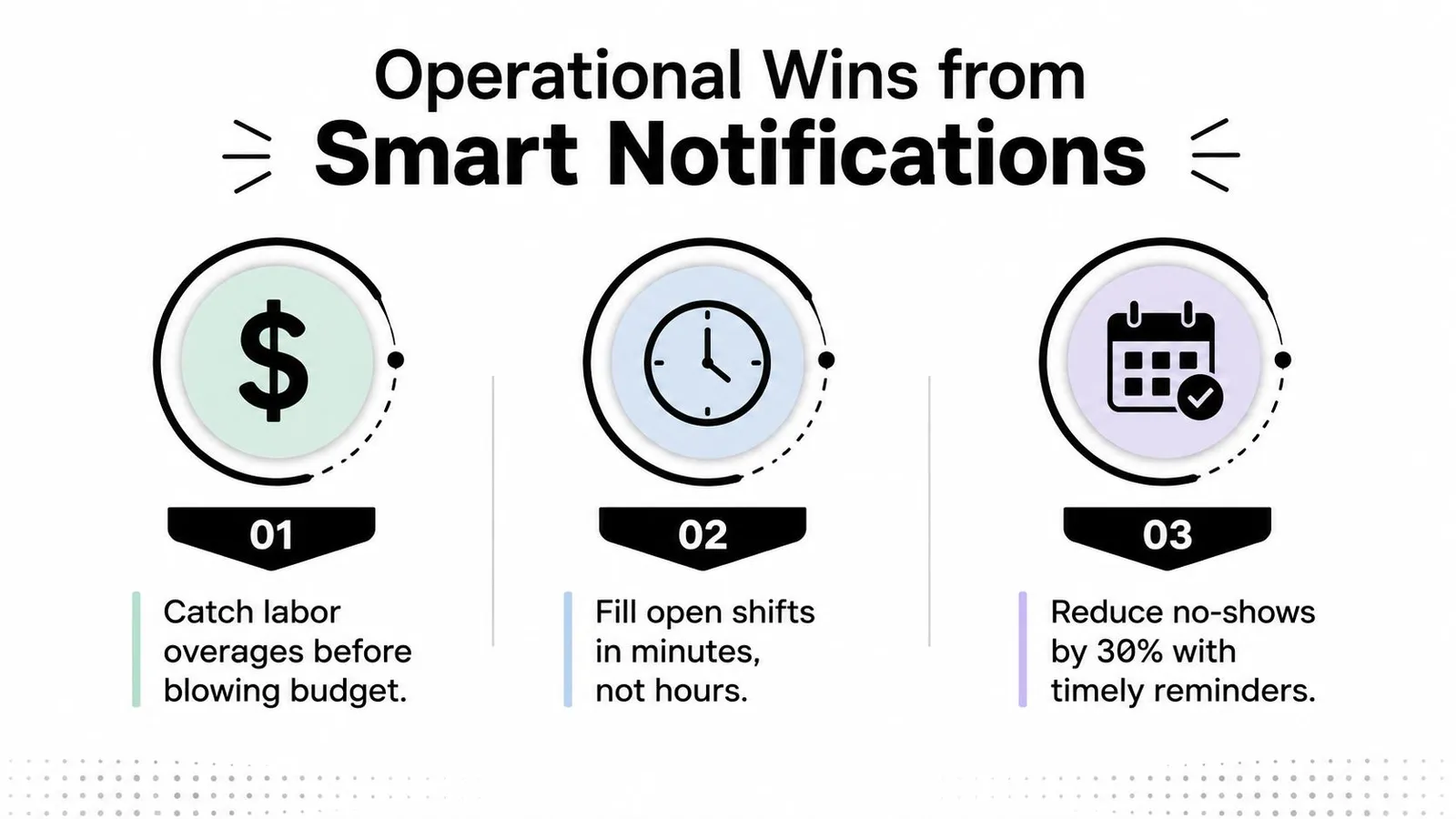
A labor alert is useful when it arrives early enough to support a practical adjustment. The message might tell the manager that actual labor is trending beyond the location's target, identify the affected department, and show which cuts or station changes are available. A generic “labor variance detected” alert forces the manager to open several systems and calculate the response under pressure.
That's where workforce optimization becomes operational rather than theoretical. An explanation of what workforce optimization means is useful, but the shift-level application is straightforward: compare the staffing plan with live conditions, identify the gap, and make a controlled adjustment before the close.
Coverage without group-text chaos
Open shifts should reach people who can work them. Targeted outreach prevents the manager from messaging an entire team, waiting through a long reply chain, and manually tracking who confirmed. The system should consider availability, role qualifications, location, and reliability, then route the request in an order that supports a clean first confirmation.
Schedule publication follows the same principle. Employees need a clear notification when their schedule is live, while managers don't need a separate conversation for every recipient. In-app delivery keeps the record attached to the schedule instead of scattering decisions across group texts.
Reminders that support attendance
A timely reminder can surface the correct shift, start time, location, and any required acknowledgment. It should answer the employee's immediate question rather than add another vague “don't forget” message. If the employee can't attend, the system should provide a defined path for reporting the issue or requesting a swap.
The broader adoption context explains why permission and relevance matter. By 2026, the average U.S. smartphone user received 46 app push notifications per day, with overall opt-in rates around 60% and Android opt-in rates around 81%, according to push notification usage benchmarks. Restaurant operators are competing for attention inside an already crowded channel, so every operational alert needs a clear purpose.
Setting Up Notifications with Smart Thresholds
Start with events, not channels. Listing every available trigger produces a noisy system. Listing the operational decisions that managers regularly miss produces a useful one.
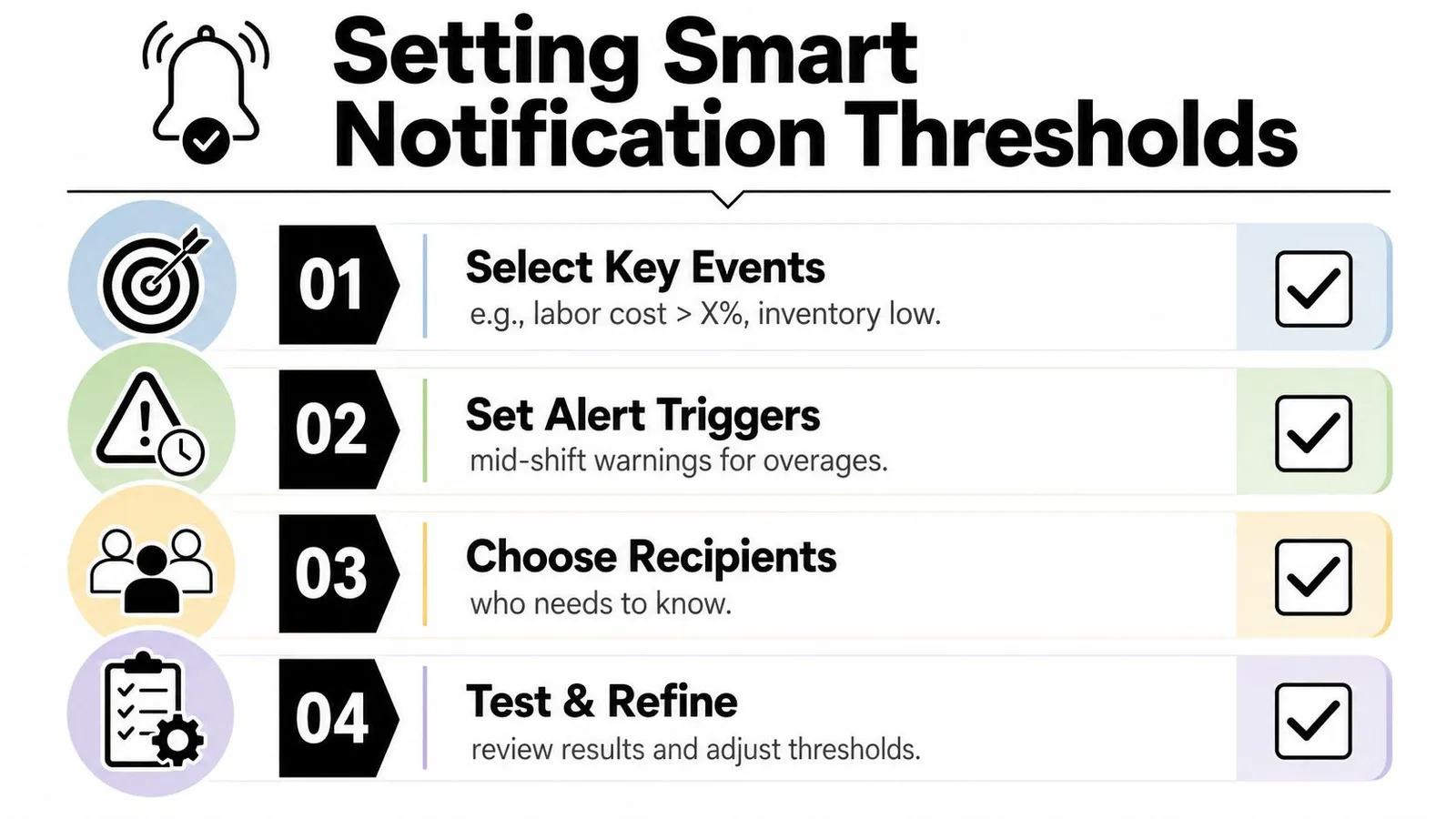
1. Select events that require action
Separate events into three groups:
- Immediate action: An uncovered critical station, a serious safety issue, or a labor condition that requires the manager's attention during the shift.
- Manager review: A schedule change, an inventory concern, or an employee response that can wait for a reasonable operating moment.
- Record only: Routine edits, successful acknowledgments, and changes that don't require another decision.
A labor threshold should reflect the location's operating plan and the time remaining in the shift. The alert should explain the condition and suggest the decision available, such as releasing an employee, consolidating a station, or reviewing the forecast.
2. Define thresholds with context
A single trigger rarely tells the full story. Pair the condition with time, role, and trend. A warning about labor should identify whether the issue is isolated or continuing, whether sales are supporting the staffing level, and who is currently responsible for the decision.
Use deduplication so repeated readings create one active alert rather than a string of identical pings. Alert-fatigue guidance identifies redundant thresholds, fragmented telemetry, weak incident correlation, and shallow prioritization as core failure modes, and supports filtering, deduplication, escalation tiers, and clear severity thresholds in this review of alert-fatigue reduction strategies.
3. Route by responsibility
The recipient list should follow the operating chart. A shift supervisor may handle an immediate staffing gap, while the general manager receives a summary of unresolved issues. If no one acknowledges a critical alert, escalate it to the next responsible role rather than notifying the entire team.
Quiet hours should protect off-duty employees. For noncritical items, batch updates into a digest or hold them until the next appropriate work period. Urgent alerts can bypass quiet hours, but only when the consequence of waiting justifies the interruption.
4. Test, then refine
Run the system with a small group across different shifts. Ask recipients which alerts helped, which arrived too late, which lacked context, and which should have been bundled. Remove triggers that don't lead to a decision, then review unresolved alerts with the managers who received them.
Integration Considerations for POS and Scheduling Tools
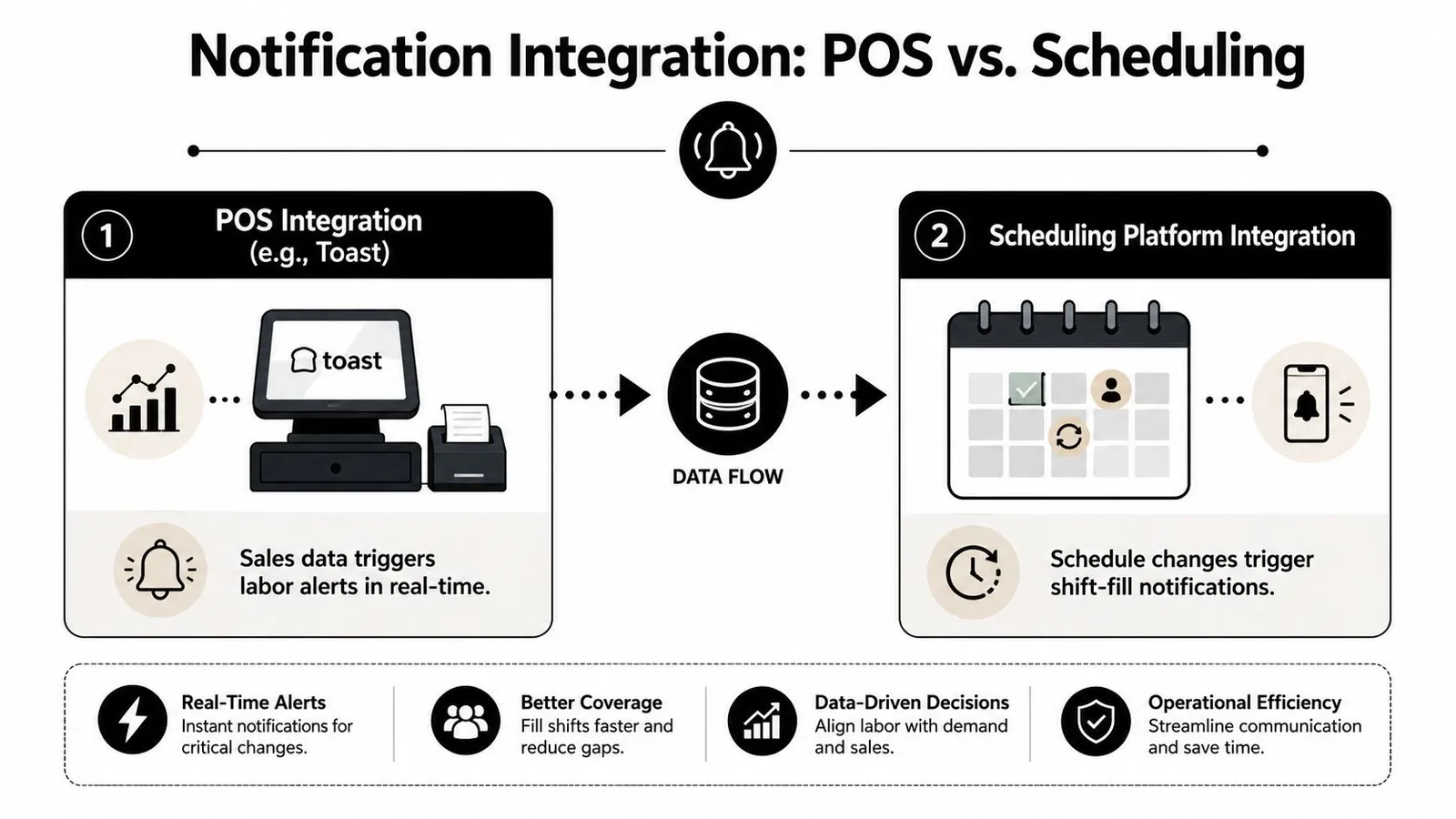
A notification engine is only as useful as the operational data feeding it. If the POS reports sales late, a labor alert may arrive after the manager's best opportunity to adjust staffing. If the scheduling system doesn't send changes to the employee app, a published schedule can remain invisible to the people expected to follow it.
POS integration
A POS connection should provide the data required to compare actual performance with the staffing plan. For restaurants using Toast, that may include sales activity, time records, and the inputs needed for labor or tip calculations. The key question is whether the integration can read the relevant data reliably and preserve enough context for the alert to make sense.
Ask what happens during an outage. Does the system queue events, show stale-data warnings, retry the connection, or stop evaluating thresholds? A reliable design should make the data status visible so a manager doesn't mistake missing information for normal performance.
Scheduling integration
Scheduling tools have a different responsibility. They need to manage employee availability, shift assignments, swaps, approvals, and publication status. When a shift opens, the system should identify qualified recipients and track confirmations. When a schedule changes, employees should receive the update through the channel they use.
Operators comparing tools should also evaluate an app for communicating with deskless staff, especially when employees rarely sit at a computer. The communication layer must support the workforce without creating another ungoverned stream of messages.
Native connections versus connectors
Native integrations generally offer deeper access and more predictable data mapping. Third-party connectors can be faster to deploy and may connect systems that lack a direct relationship, but they introduce another dependency, another permission model, and another place for failures to occur.
Review the permission scope carefully. The notification service should read only what it needs, write only where necessary, and preserve an audit trail for schedule changes, approvals, and acknowledgments. Your restaurant scheduling software should also make clear which system is the source of truth when employee records or shift assignments conflict.
Permission reach is not guaranteed. Benchmarks report opt-in rates ranging from 23% to 92% across industries and platforms, with median Android opt-in at 81% and overall opt-in at 61% in 2025, as summarized in mobile push opt-in benchmarks. Build fallback procedures for employees who don't permit push notifications.
Which KPIs Show Whether Notifications Are Working?
Open rate is easy to report and often too weak to guide restaurant decisions. A notification can be opened without producing coverage, a labor adjustment, an acknowledgment, or a completed task. Measure the chain from alert to operational result.
One analysis found that more than 60% of smartphone notifications were clicked within 10 minutes of arrival, which indicates that the highest-value action window can be short. The analysis is summarized in this smartphone notification response analysis. For restaurant alerts, track whether the right person acted during the window when action could still change the shift.
| KPI | Target | Measurement Method |
|---|---|---|
| Response time to critical alerts | Set a location-specific operating goal | Measure time from delivery to acknowledgment, then separate acknowledged alerts from escalated alerts |
| Shift fill rate after notification | Establish a baseline by role and shift type | Compare open shifts that receive targeted outreach with confirmed coverage |
| Labor cost variance | Reduce avoidable divergence from the staffing plan | Compare planned labor with actual labor at shift close and review whether an alert preceded an adjustment |
| Employee opt-in rate | Monitor by platform, role, and location | Record permission status and identify teams that need an alternate delivery path |
| Alert-to-action conversion | Improve the share of alerts producing a recorded decision | Track actions such as approval, shift acceptance, schedule change, or manager acknowledgment |
Baselines prevent false confidence
Before changing the system, capture current response times, open-shift outcomes, manager interruptions, and unresolved alerts. A lower notification count is not automatically success, just as a higher acknowledgment rate isn't useful if managers acknowledge alerts without acting.
Review metrics by shift period and alert type. A schedule-publication message should have a different operational expectation from a same-day coverage request. That comparison tells you whether the system is improving execution or encouraging faster dismissal.
Implementation Checklist and Real-World Examples
Implement the system in a controlled sequence. Start by auditing every current source, including POS alerts, scheduling messages, staff group chats, email, SMS, and manager-created reminders. Record who receives each message, what action follows, and whether the alert is still needed.
Use this rollout order:
- Inventory notification sources: Remove duplicate messages and identify alerts with no clear owner.
- Assign priority levels: Mark each event as immediate, manager review, or record only.
- Configure thresholds: Tie labor, coverage, attendance, and schedule events to operational decisions.
- Pilot with one team: Include a manager, a shift supervisor, and employees who receive coverage requests.
- Review feedback: Ask what arrived too early, too late, without enough context, or through the wrong channel.
- Iterate by evidence: Keep alerts that lead to action and revise or remove the rest.
Don't assume immediate delivery is always the right choice. A large-scale adaptive-notification study reported a 49.7% reduction in user response time when delivery was delayed until an interruptible moment rather than sent immediately, supporting timing strategies that protect attention while preserving actionability. The finding is described in the adaptive notification study.
For a restaurant, that might mean sending a noncritical schedule reminder when an employee is more likely to be available, while sending an uncovered opening shift request immediately to qualified staff. A labor warning may go to the manager on duty, then escalate only if no one responds.
Review the pilot after several operating cycles. Keep the system if managers spend less time sorting messages and more time resolving meaningful issues. If employees still ignore alerts, reduce volume, improve routing, and rewrite messages around one clear action.
AnchOps supports shift scheduling, targeted open-shift outreach, schedule publication alerts, in-app employee communication, timekeeping, labor projections, and mid-shift alerts for restaurants using Toast POS. Visit AnchOps to see how its scheduling and coverage workflows can help your team deliver fewer, more useful notifications during live operations.
Your back-of-house partner is ready
AnchOps handles scheduling, tip calculations, labor costs, and timecards — so you can focus on your restaurant, not your paperwork.