A Team Communication App That Works for Restaurants
Published on
By Tony Newcome — Founder of AnchOps · Owner, Pizza Harbour
This article was drafted with AI assistance and reviewed by Tony Newcome, a working restaurant operator.
A team communication app earns its place in a restaurant when it does more than group chat: shift coverage requests, approvals, role-based updates, and a clean record of who agreed to what. Scattered texts are a labor and accountability problem — managers chase answers instead of running the floor. Choose a purpose-built tool and drive adoption deliberately.
That mess feels normal in restaurants because it happens fast and often. But it isn't just annoying. It's a labor problem, a service problem, and an accountability problem. When shift changes live in scattered texts, managers spend time chasing answers instead of running the floor, and staff lose trust in the schedule because the "real" version seems to exist somewhere inside a phone.
A proper team communication app fixes that only when it does more than send messages. In a restaurant, communication has to support shift coverage, approvals, role-based updates, and a clean record of who said yes to what.
Table of Contents
- The Hidden Costs of Quick Staff Texts
- What breaks in real service
- Why managers feel the pain first
- Beyond Group Chat What Is a Team Communication App
- Group Text vs Team Communication App
- Why structure matters more than features
- Why Your Restaurant Needs a Purpose-Built App
- Generic apps solve chat, not restaurant decisions
- The schedule should be the communication hub
- How to Choose the Right Communication App
- Start with the schedule
- Look for targeted communication
- Prioritize control and integration
- Test adoption before rollout
- Getting Your Team to Actually Use the App
- Set one rule and stick to it
- Make the app part of onboarding
- Show staff what they gain
- The Right App Is a Labor Management Tool
The Hidden Costs of Quick Staff Texts
A group text looks efficient right up until it isn't. A server asks to swap Saturday brunch. A shift lead replies in one thread. The GM answers in another. By the end of the day, one person thinks the swap is approved, another thinks it's pending, and payroll gets stuck sorting out what happened.
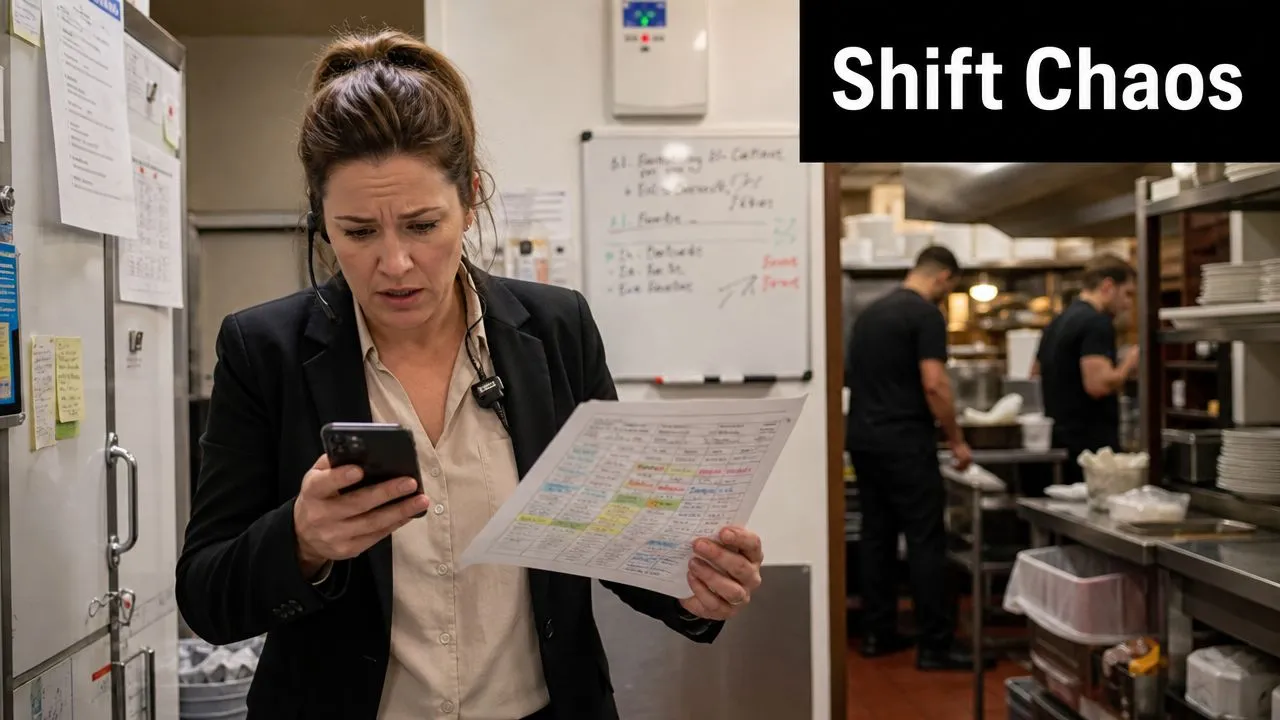
Quick texts become costly. The issue usually isn't that people failed to communicate. It's that communication happened in places nobody can reliably track. If you're already seeing recurring labor friction, these common scheduling mistakes that cost restaurants money usually sit right next to the texting problem.
What breaks in real service
During a rush, managers need clarity, not message volume. Group chats create several failure points at once:
- No single record: Approval, rejection, and follow-up often happen in separate threads.
- No context: A "yes" message means nothing if nobody knows which shift it refers to.
- No boundaries: Off-duty staff keep getting pinged about issues that don't involve them.
- No ownership: When a shift goes uncovered, everyone claims they thought someone else had it.
Practical rule: If a shift change can't be verified in one place by anyone on the management team, it isn't operationally controlled.
The business impact is bigger than many operators admit. Workplace communication reporting says over one-third of leaders spend an hour or more each day resolving collaboration issues, and that can cost organizations up to $16,491 per manager annually. The same reporting says 1 in 5 business leaders have lost business because of communication issues, and 86% of those leaders estimated losses of $10,000 or more, with 22% estimating $50,000 or more according to Zoom's workplace communication statistics.
Why managers feel the pain first
Managers absorb the chaos. They become the search function, approval log, reminder system, and backup plan. That creates a hidden tax on every daypart. Instead of coaching staff, checking ticket times, or fixing guest issues, they scroll through phones trying to reconstruct decisions.
The deeper problem is that group texts turn labor management into memory work. Restaurants don't need more chatter. They need a workflow that keeps operational decisions visible, current, and easy to confirm.
What Is a Team Communication App, Beyond Group Chat?
A real team communication app in a restaurant works more like a kitchen display system than a shouted order. Shouting may feel faster in the moment, but the KDS wins because it creates order, sequence, and shared visibility. The same principle applies to staffing communication.
A generic text thread is unstructured. A team communication app creates a system for who receives a message, where that message lives, and how staff act on it. That structure matters because modern business chat tools support message history and bounded group chats, with some platforms capping group chat size at 30 users, which helps reduce noise and preserve context according to Nextiva's overview of team chat apps.
Group Text vs Team Communication App
| Function | Group Text / DMs | Team Communication App |
|---|---|---|
| Shift coverage | Staff ask around manually and managers piece together replies | Coverage requests live in one place with a visible trail |
| Schedule changes | Updates get buried fast | Staff can reference the latest approved communication |
| Announcements | Everyone gets the same message, whether relevant or not | Managers can target by role, shift, or location |
| Onboarding | New hires get added late or miss key info | History and standard channels keep context available |
| Accountability | Hard to confirm who saw what | Read history and organized threads create traceability |
| Off-hours noise | Personal phones become the workplace inbox | Boundaries are easier to maintain with role-based communication |
Why structure matters more than features
Restaurants don't need a prettier chat box. They need communication tied to work. That means shift-level channels, coverage threads, manager announcements, and message history that survives beyond today's rush.
More messages don't create better coordination. Better routing does.
If you're evaluating broader communication stacks across the business, this overview of Hosted Telecommunications UC solutions is useful because it shows how companies think about unified communication as an operational system, not just a messaging layer. In restaurants, that same mindset matters, but the workflow has to start with labor and scheduling.
A strong restaurant setup usually combines scheduling, approvals, and communication in one place rather than asking staff to bounce between a scheduling tool and personal chat. That's why operators looking at software should review restaurant-specific labor and scheduling features before they get distracted by generic collaboration tools with long feature lists.
Why Does Your Restaurant Need a Purpose-Built App?
Slack and Microsoft Teams are powerful platforms. They also weren't built around the rhythm of a restaurant shift. That's the difference that matters.
A restaurant doesn't communicate like an office. Coverage requests happen fast. Call-outs affect break compliance, station coverage, and close times. Managers need to reach the dishwasher on today's night shift, not "everyone in operations." A broad business messenger can handle conversation, but it often leaves operators to build the actual workflow themselves.
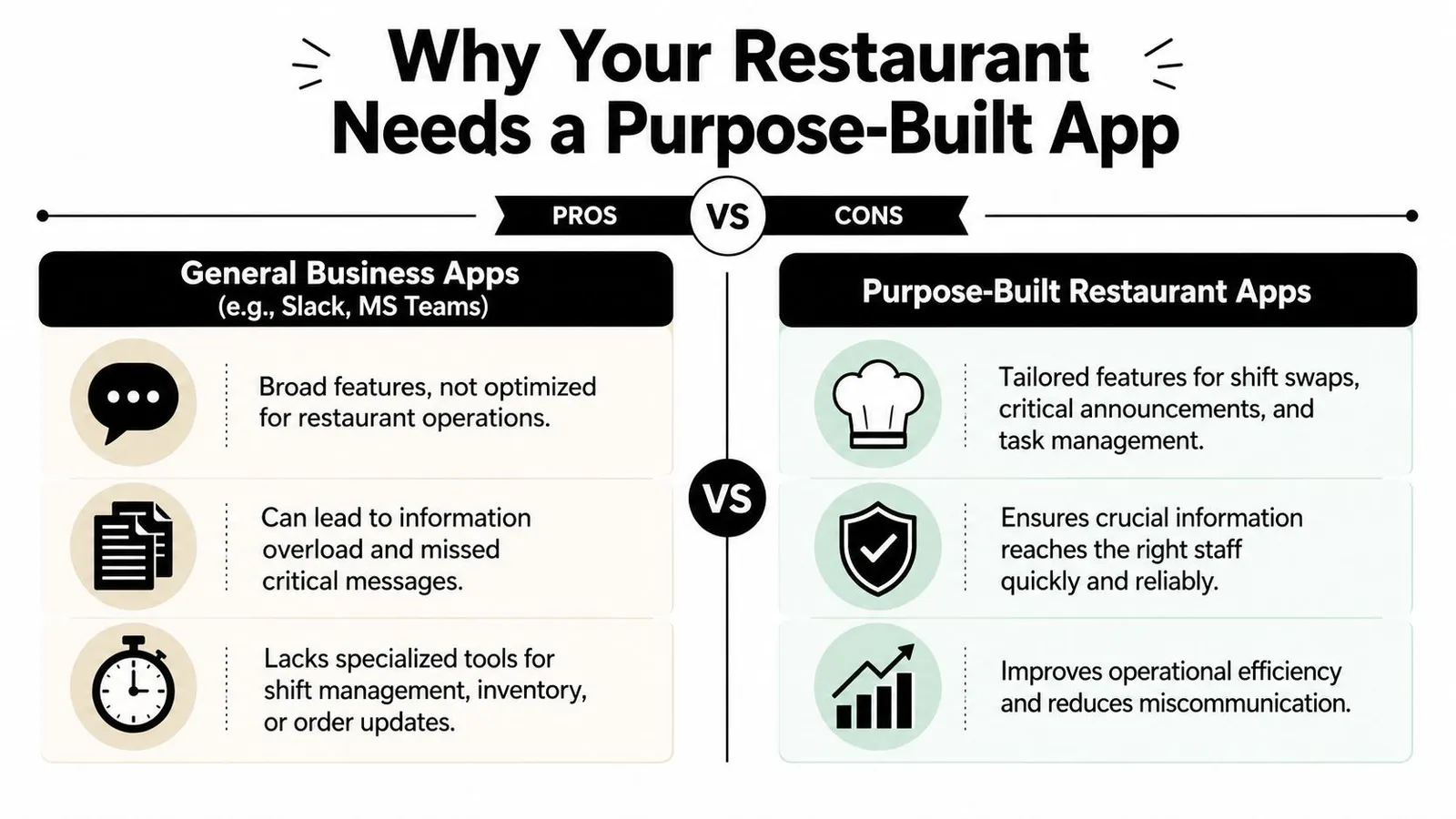
Generic apps solve chat, not restaurant decisions
Office tools assume people sit in departments, work regular hours, and can catch up later. Restaurant teams don't have that luxury. If a bartender calls out before happy hour, the decision window is short and the consequences are immediate.
What usually fails in general-purpose apps:
- Shift swaps stay informal: Staff still negotiate coverage in chat, then managers approve somewhere else.
- Critical updates compete with chatter: A prep note, a schedule issue, and a meme can sit in the same stream.
- The schedule isn't the center: Communication floats beside labor decisions instead of driving them.
- Frontline access gets uneven: Some staff adopt the tool quickly. Others only check it when reminded.
The schedule should be the communication hub
In restaurants, the schedule is the operating plan. That's where communication should begin. If an app treats scheduling as separate from messaging, managers end up doing duplicate work. They answer questions in chat, update the schedule elsewhere, and then circle back to confirm the change.
That disconnect adds friction at exactly the wrong time. It also increases the odds of unnecessary overtime, missed breaks, or a no-show that wasn't a genuine no-show. It was a handoff failure.
A purpose-built restaurant app doesn't just help staff talk. It helps managers control who is working, when changes are approved, and how updates reach the floor.
Operators who are improving consistency across staffing, service, and execution usually think in systems, not isolated tools. This guide to restaurant operations is a useful reference because it frames operations as connected workflows. Communication belongs inside that same operating model.
How Do You Choose the Right Communication App?
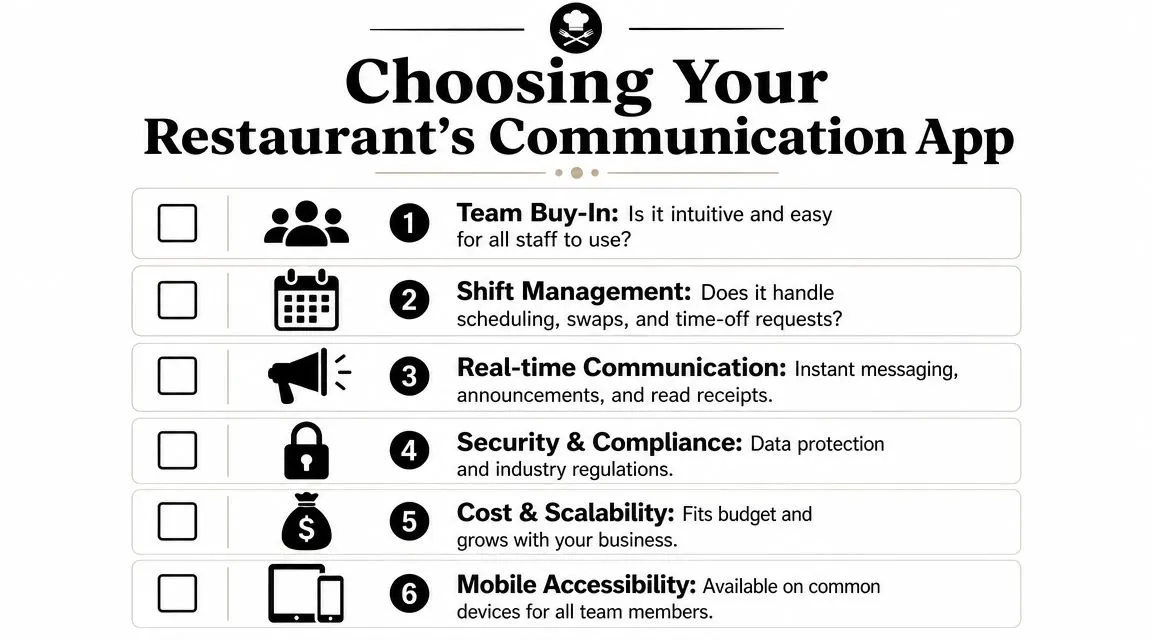
Most demos make every app look polished. The ultimate test is whether the tool removes manager follow-up. If it still depends on someone chasing replies, checking separate texts, and manually updating the schedule, it isn't solving the hard part.
Start with the schedule
The first question is simple. Can staff handle shift releases, swap requests, and time-off communication inside the same system where managers approve labor decisions?
If the app only offers a chat channel for coverage, skip it. A restaurant needs workflow, not discussion. The difference is huge. In a workflow-based app, a server releases a shift, eligible staff can claim it, and the manager approves it in a controlled path. In a chat-only setup, the same situation becomes a messy exchange that still requires manual reconciliation.
Look for targeted communication
Restaurants need precision. A message for openers shouldn't hit closers. A note for one location shouldn't bother staff across the whole group.
Look for an app that lets you communicate by role, shift, or store. That reduces noise and makes staff more likely to pay attention when a notification comes through.
Good targeting usually includes:
- Role-based messaging: Send updates to bartenders, line cooks, or shift leads without blasting everyone.
- Location-specific communication: Multi-unit groups need each store to run its own flow.
- Announcement visibility: Managers should know whether a critical update was seen.
Prioritize control and integration
Advanced team communication apps aren't just chat tools. They include admin controls, integrations, and enterprise security, which matters because managed communication reduces missed messages and routes schedule changes through one controlled system, as described in Zenzap's explanation of team communication software.
That sounds abstract until you've had a former employee still sitting in a text thread or a key message sent to the wrong mix of people. In a restaurant, admin control means managers decide who belongs where, who can approve what, and how communication stays tied to current staffing.
If you're comparing platforms, it can help to borrow a selection mindset from other industries. This guide for DTC brands on platforms is useful for one reason. It focuses on decision criteria instead of shiny features. That's exactly how restaurant operators should evaluate communication software.
One example in the restaurant space is AnchOps, which combines scheduling, shift releases, coverage requests, and in-app communication, with optional Toast POS integration based on the publisher information provided. Whether you choose that route or another tool, the important point is the same. Communication should sit inside labor operations, not outside them.
Test adoption before rollout
Even the right software fails if hourly staff need a training manual to use it. Before signing a contract, test the app with actual managers and frontline staff.
Ask them to complete a few common tasks:
- Release a shift
- Claim coverage
- Read a manager announcement
- Find tomorrow's schedule
- Confirm a policy update
If any of those actions create confusion, resistance will show up later at scale. The app should feel obvious on a phone because that's where your team will use it.
How Do You Get Your Team to Actually Use the App?
Rollout fails when managers treat the app as optional. Staff follow the path that gets the fastest answer. If texts still work, they'll keep texting.
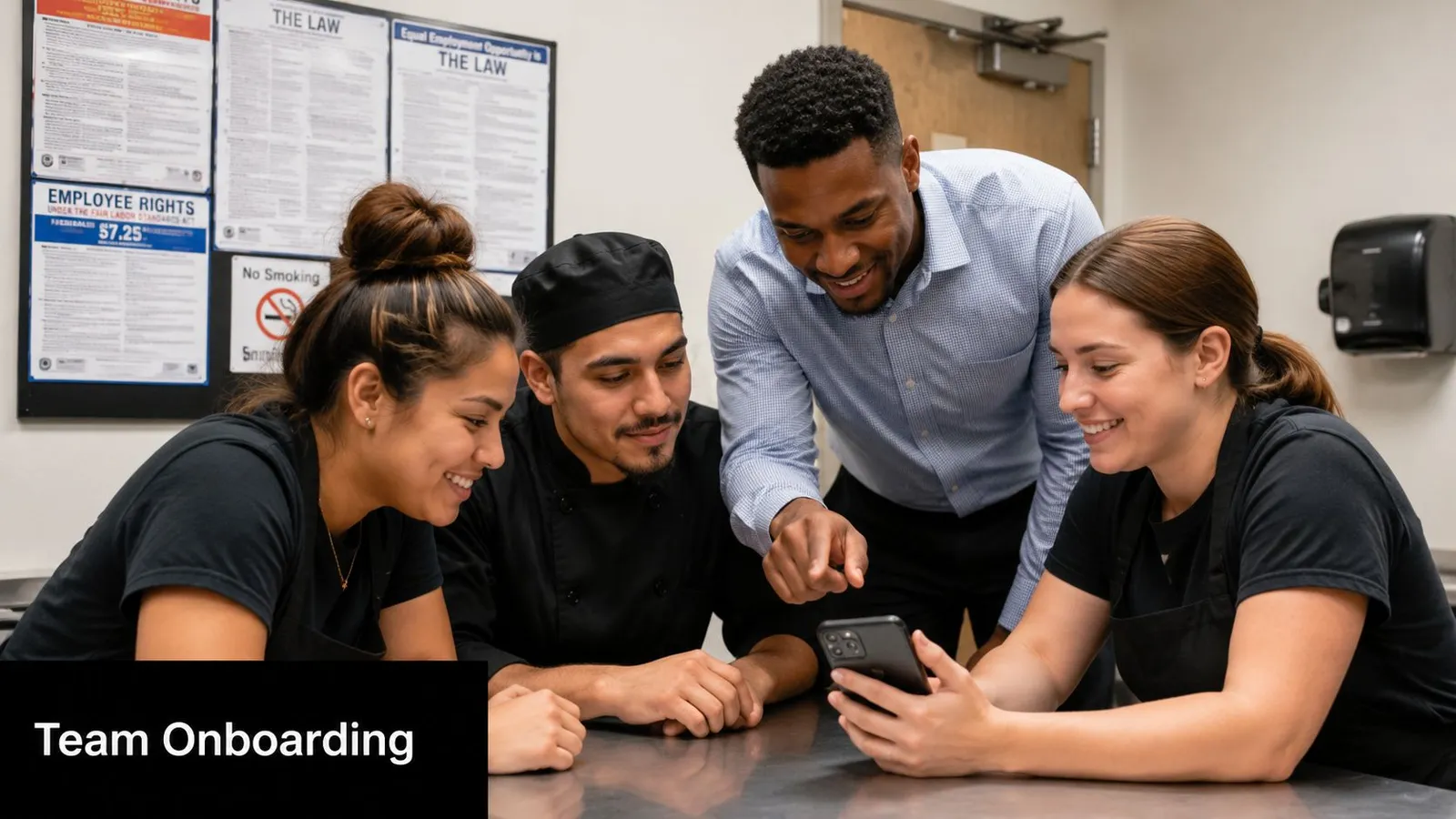
The fix isn't complicated, but it does require discipline. Most app coverage misses the governance side. The issue isn't message volume. It's whether the system creates a reliable workflow for operational decisions and a durable record of things like shift change approvals, as discussed in Connecteam's roundup of team communication apps.
Set one rule and stick to it
Move all schedule-related communication into the app. No exceptions. No "just text me this one time." The minute managers allow side-channel approvals, the record breaks and staff stop trusting the system.
A simple rollout rule works best:
- Schedule issues live in the app
- Shift swaps live in the app
- Call-out follow-up lives in the app
- Manager announcements live in the app
That rule matters for staff too. Clear process gives them a fairer system. They know where to request time off, where to release a shift, and where to check whether something was approved.
Make the app part of onboarding
If a new hire downloads the app on day ten, you've already trained them to rely on word of mouth. Install it on day one. Show them how to log in, find their schedule, update availability, and respond to notifications before their first full week.
For teams that want a simple training walkthrough, this short video is a useful example of how to think about staff app adoption in practice.
A lot of operators pair app rollout with culture habits that make work feel more organized and respectful. Small things help. Publicly thanking staff who follow the new process, for example, reinforces the behavior. These staff appreciation activity ideas can help if you want to encourage adoption without turning it into another compliance lecture.
Show staff what they gain
Managers often pitch a communication app as a control tool. Staff hear that and tune out. The better pitch is practical.
Tell them what changes for them:
- Less off-day noise: They won't get dragged into irrelevant group chats.
- More control over coverage: They can handle swaps through a clear process.
- Fewer misunderstandings: Approvals are visible instead of verbal.
- Less chasing managers: The system answers routine questions faster.
When staff believe the app protects their time as much as it protects the schedule, adoption gets easier.
One common result is that managers stop spending chunks of the day reconstructing conversations. The win isn't magical productivity. It's fewer avoidable interruptions and fewer preventable mistakes.
The Right App Is a Labor Management Tool
Restaurants already know labor is one of the biggest moving parts in the business. What gets missed is that communication controls labor every day. It decides whether shifts are covered, whether schedule changes are clear, and whether managers can act before small problems become expensive ones.
That is why a team communication app shouldn't be evaluated as a simple chat replacement. It sits inside staffing, accountability, and daily execution. When communication is structured, managers spend less time decoding side conversations and more time running service.
The broader market tells the same story. App-based coordination is no longer niche. Microsoft Teams grew from 2 million daily active users at launch in 2017 to 320 million monthly active users by early 2024, with some reports citing 360 million by mid-2025, and Slack users send an average of 92 messages per person per day while the platform handles over 2 billion messages daily, according to these team communication statistics. For restaurants, the takeaway isn't to copy office tools. It's that structured communication is now a normal operating expectation for fast-moving teams.
When you centralize shift changes, approvals, announcements, and team updates in one controlled system, you're not just improving communication. You're managing labor in real time. That means fewer surprises, cleaner handoffs, and less manager burnout.
If your restaurant is still running shift coverage and schedule changes through scattered texts, it's worth looking at how AnchOps handles labor scheduling, in-app team communication, shift releases, and coverage requests in one workflow. For operators who want tighter control over labor without adding more admin work, that's the right place to start.
Your back-of-house partner is ready
AnchOps handles scheduling, tip calculations, labor costs, and timecards — so you can focus on your restaurant, not your paperwork.