8 Tips on Track for Smarter Tip Management
Published on
The shift is over, the last ticket is closed, and the questions start immediately. Servers want to know what they earned. A closer is counting cash. A manager is comparing pooled tips, tip-outs, delivery distributions, cash declarations, and timecards that live in different places. Someone remembers a missed punch. Someone else disputes a split. Payroll is tomorrow.
That's where tip tracking usually breaks down. The problem usually isn't the math itself. It's that the math depends on clean inputs, clear rules, approval steps, and a way to explain the result to employees without a long back-office debate.
Good tips on track work the same way good operations work. Sales data has to flow from the POS. Hours have to match real shifts. Tip-pool rules have to reflect how your restaurant runs. Exceptions have to be reviewed before payroll, not after. And employees need a simple way to see what happened and why.
That operating discipline matters even more in a labor environment shaped by old wage rules that still affect modern restaurants. The federal tipped minimum wage was frozen at $2.13 in 1996 and still sits there today, after earlier changes to the tip credit under the Fair Labor Standards Act amendments of 1966, 1980, and 1991, as outlined in this history of tipping and tipped wage policy.
The eight workflows below focus on what operators can implement. They connect scheduling, staffing reliability, POS-linked calculations, timecards, payroll reconciliation, and employee transparency. If you use Toast POS, AnchOps is one option that can support that workflow. If you use another stack, the operating principles still hold. Strong systems are part of building a successful hospitality business.
Table of Contents
- 1. Build a Reliability Scoring System to Identify Your Most Dependable Staff
- Make the score operational, not symbolic
- Use reliability data to spot management problems too
- 2. Automate Schedule Drafts from Sales History and Employee Availability to Save Planning Time
- Start with demand, not preference
- Protect tip integrity by fixing staffing first
- 3. Use Real-Time Labor Projections and Mid-Shift Alerts to Prevent Budget Overages
- 4. Implement Peer-to-Peer Shift Swaps with Automatic Schedule Updates to Reduce Manager Workload
- 5. Automate Tip Calculations and Distributions Using Real POS Sales Data for Accuracy and Transparency
- 6. Track Timecards and Labor Costs in Real Time to Catch Errors Before Payroll
- 7. Use Targeted Shift Outreach to Fill Open Shifts Faster and Reduce No-Shows
- 8. Establish Clear Scheduling Rules and Publish Schedules Early to Give Employees Predictability and Stability
- 8-Point Shift & Labor Tips Comparison
- Make Every Tip Distribution Easy to Explain
1. Build a Reliability Scoring System to Identify Your Most Dependable Staff
Scheduling gets easier when you stop treating every employee as equally dependable. Most restaurants already know who reliably shows up on time, who picks up open shifts, and who creates last-minute coverage problems. The mistake is keeping that knowledge informal.
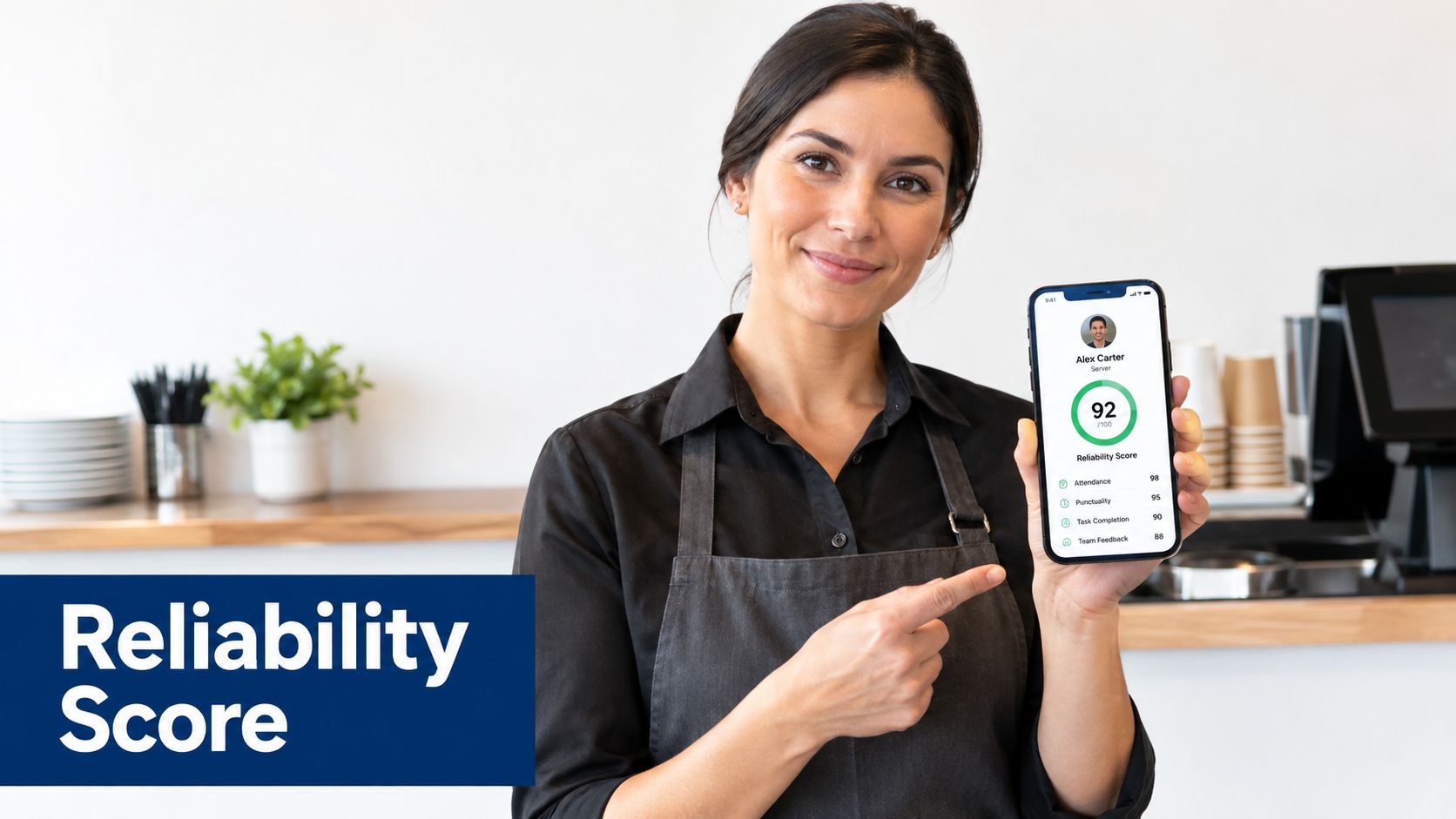
A reliability score turns that pattern into a scheduling input. Track attendance behavior over a rolling period and use it to influence who gets key shifts, who gets first access to extra hours, and who should not be your first call when service is already thin.
Make the score operational, not symbolic
A useful score has to affect the schedule. If it's just a hidden manager metric, it won't change behavior. If employees can see how the score moves and what actions affect it, they'll understand why one coworker gets first choice on a busy Friday and another doesn't.
AnchOps uses a rolling attendance view built around show-up behavior, and you can see how that works in its show-up score results. Even if you don't use AnchOps, the principle is the same. Score the behaviors that create real operating stability.
Practical rule: Tie reliability to scheduling opportunities, not just discipline.
A quick-service restaurant might weigh punctuality heavily because one late opener slows the whole line. A full-service restaurant may care more about pickup behavior and last-minute shift coverage because floor coverage is harder to rebuild on the fly. The point is to match the scoring logic to the pain your managers feel.
Use a weekly review rhythm:
- Show the score regularly: Share updates with staff so people can connect behavior to outcomes.
- Explain the consequences clearly: Better scores should improve access to preferred shifts or extra hours.
- Recognize dependable people publicly: Reliability is performance. Treat it that way.
- Adjust the formula when operations change: If call-offs are your biggest issue, weight coverage and no-shows more heavily.
Use reliability data to spot management problems too
Reliability scoring isn't only about employees. It can reveal where managers are creating unstable schedules. If one location has far more late arrivals, shift drops, or missed coverage than another, look at schedule timing, communication style, and whether that manager publishes too late.
That's one of the best parts of putting tips on track inside a wider workflow. Better attendance leads to steadier floor coverage, cleaner closings, fewer rushed substitutions, and fewer payout disputes caused by chaotic handoffs.
2. Automate Schedule Drafts from Sales History and Employee Availability to Save Planning Time
Managers waste hours rebuilding the same schedule every week. They already know the shape of demand. Lunch is lighter on some days. Dinner spikes on others. One manager still ends up dragging names around a grid by hand because that's how it's always been done.
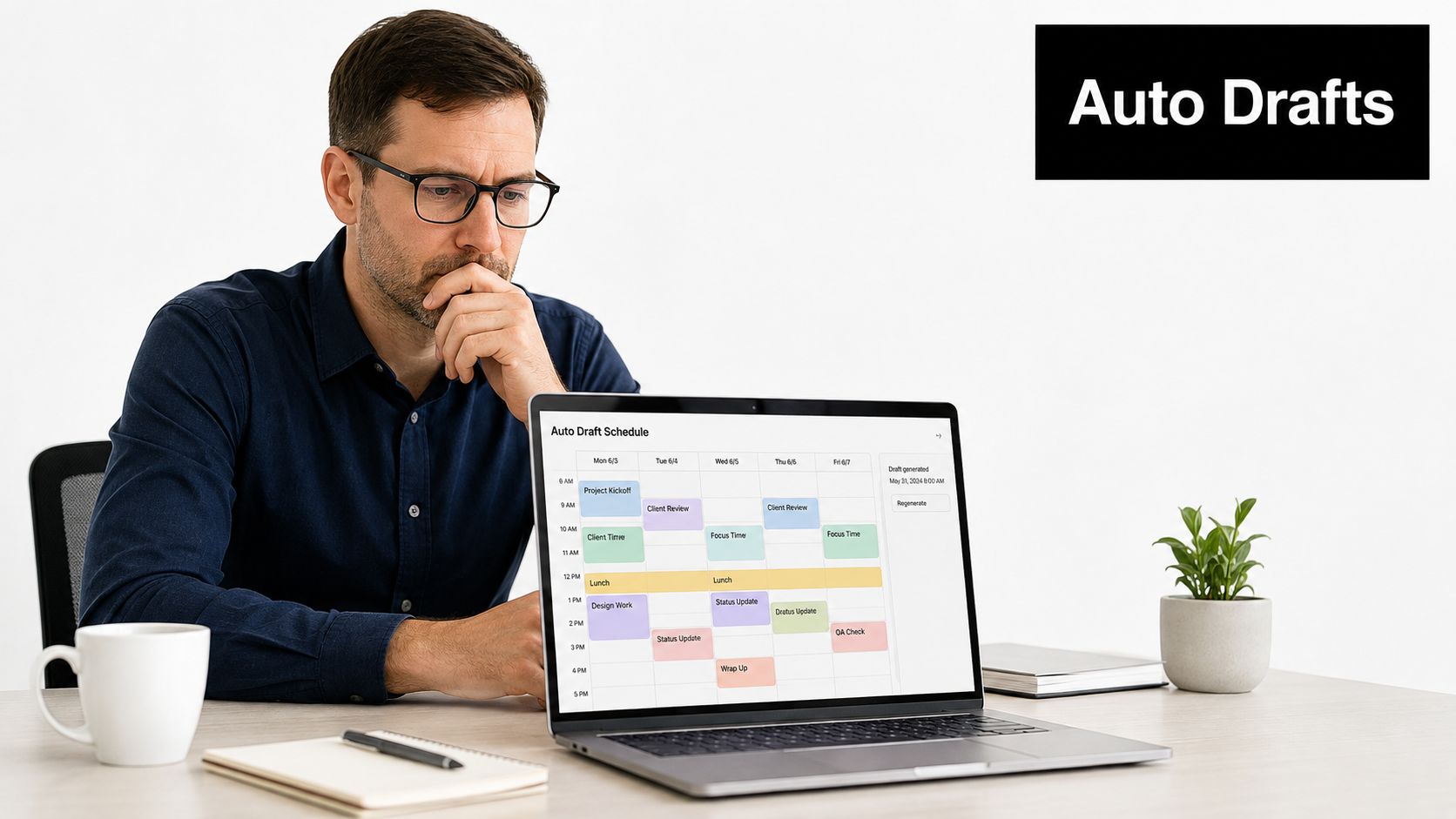
Auto-drafted schedules solve the repetitive part first. The system reads sales patterns, checks employee availability, and produces a draft that managers can review before publishing.
Start with demand, not preference
Restaurants often build schedules around employee requests and then try to force labor costs back into line. That sequence creates overstaffed slow periods and understaffed rushes. Start with forecasted demand. Then fit availability and skill coverage into that shape.
If you want schedule automation to work, clean inputs matter:
- Load enough history: Use real sales history so the draft reflects your traffic pattern.
- Keep availability current: Old availability data ruins otherwise good drafts.
- Set labor guardrails: The system needs a cost target or staffing target to draft against.
- Review early versions closely: A machine-generated draft still needs operator judgment.
A practical way to think about it is this. Let software produce the first pass. Let managers spend their time fixing exceptions, not rebuilding the week from scratch. AnchOps frames that process around forecast-driven staffing in its overview of sales forecasting for restaurant scheduling.
Protect tip integrity by fixing staffing first
Tip tracking and scheduling are more connected than many operators admit. If the floor is overstaffed, tip pools get diluted and employees feel punished on slower shifts. If the floor is understaffed, service suffers and the tip opportunity drops for everyone.
One industry signal is worth noting here. A 2026 restaurant survey reported that 44% of restaurants planned to replace or significantly upgrade their POS systems in 2026, which suggests operators are actively looking for tighter workflow integration across sales, labor, and reporting, according to this hospitality technology and tipping report.
That matters because the cleanest tip workflow starts before the first order is rung in. It starts when you schedule the right people for the right demand window.
3. Use Real-Time Labor Projections and Mid-Shift Alerts to Prevent Budget Overages
The rush starts strong. By 7:15, sales are behind forecast, two servers are standing idle, and the kitchen is staffed for a volume that never arrived. If nobody catches it until payroll, the shift is already lost.
Real-time labor control starts before service, but it pays off during service. Attach a labor target to each shift, then compare that target against live sales, active clock-ins, and projected hours as the day unfolds. Managers need a current view, not an end-of-week report.
The useful question mid-shift is simple. Is labor running high because demand changed, or because the schedule assumed the wrong pace of business?
That distinction matters. A weather hit, a catering pickup, or a late reservation surge can justify holding labor. A routine overage on the same daypart usually points to a bad staffing pattern that should be fixed in the template, not debated every Tuesday night.
Give shift leaders three or four approved actions they can use without waiting on a GM:
- Offer an early cut when service levels allow it.
- Delay or advance breaks based on actual covers and ticket flow.
- Reassign cross-trained staff to prep, sidework, or staging tasks that reduce tomorrow's labor pressure.
- Escalate only when guest demand supports keeping the extra hours.
A fast-casual operator might see lunch labor climb because openers stayed too long into the handoff while the second wave clocked in on schedule. The answer is not just "cut someone." It may be tightening the overlap window by 30 minutes on future schedules, while using a same-shift cut only when traffic stays soft. Good systems help managers make both decisions. The immediate one and the repeatable one.
Alert settings need restraint. If supervisors get pinged for every small variance, they stop reacting. Set thresholds around conditions a manager can change during the shift, such as a labor percentage running above target for a sustained period or sales missing forecast badly enough to justify a staffing adjustment.
AnchOps supports that workflow with live labor visibility and real-time labor alerts for restaurant managers. The operating principle applies even if you use another platform. Mid-shift alerts should connect directly to schedule edits, timecards, and payroll review so the same labor decision carries through cleanly at close.
That also protects tip tracking. Cleaner staffing decisions reduce unnecessary dilution in pooled houses, lower the odds of timecard corrections after close, and make payroll reconciliation easier to explain to employees who want to understand how hours, sales, and tips lined up on a given shift.
4. Implement Peer-to-Peer Shift Swaps with Automatic Schedule Updates to Reduce Manager Workload
The breakdown usually starts with a text thread.
A server gets sick before dinner service, posts in the group chat, another server replies "I can take it," and everyone assumes the problem is solved. By close, the schedule still shows the original name, the timecard belongs to the person who worked, and a manager is left sorting out who should be attached to sales, hours, and tip share.
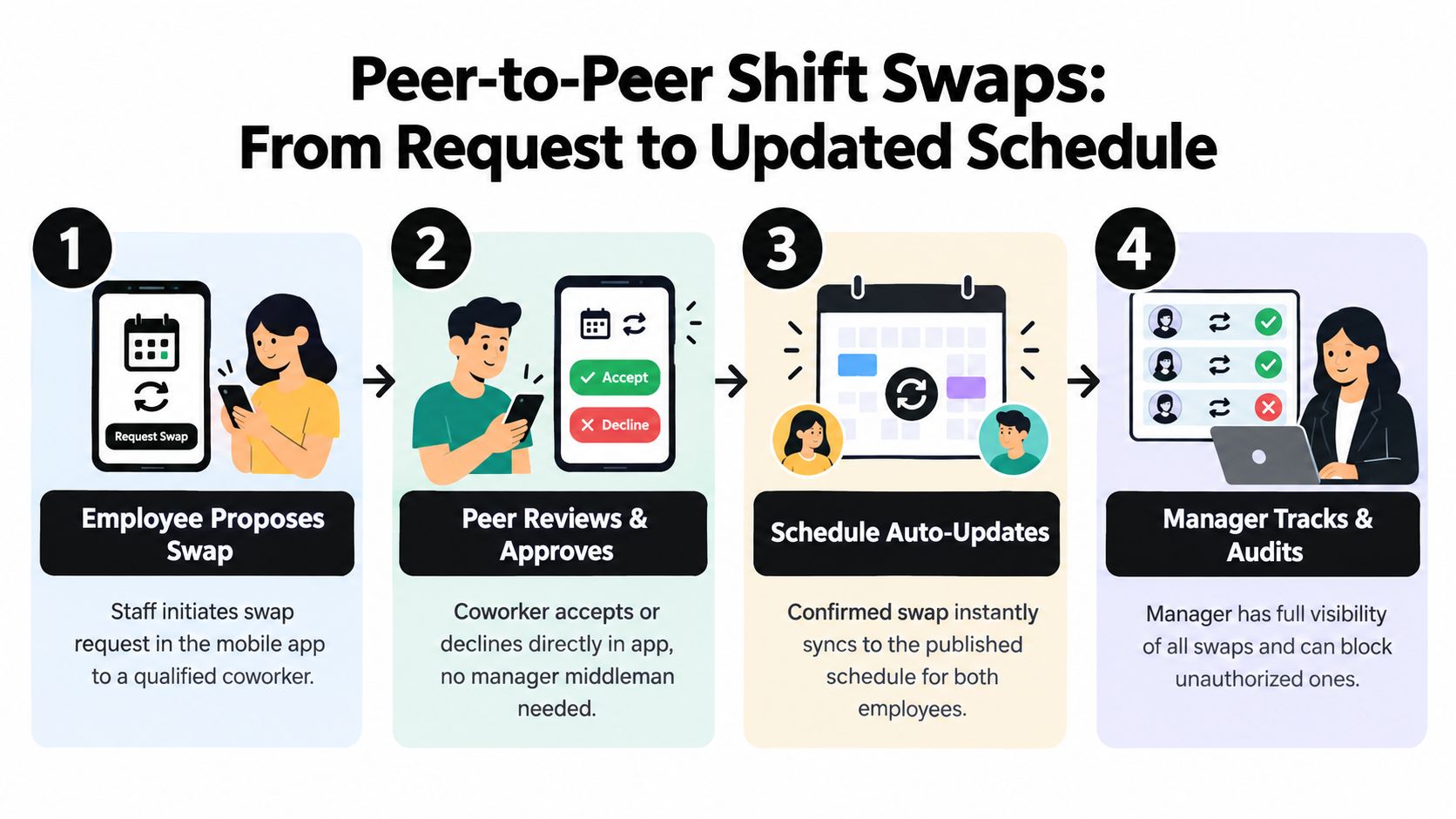
Peer-to-peer swaps work well only when the swap changes the operating record, not just the conversation. If employees can offer, claim, and confirm shifts inside the scheduling system, managers spend less time relaying messages and more time checking whether the coverage fits the floor.
The control point is simple. Flexibility for routine roles, review for higher-risk ones.
A casual dining restaurant might let hosts and bussers swap directly if both employees are already trained and the change happens before a set cutoff. Bartender, keyholder, and lead-server shifts usually need approval because the trade-off is different. A fast swap saves manager time, but a bad swap can create service failures, cash-handling risk, or tip disputes that take longer to clean up than the original scheduling problem.
Set the workflow to match that reality:
- Require both employees to confirm in the system.
- Block swaps when the replacement is not approved for the role or location.
- Set a cutoff for self-service swaps and route late changes to a manager.
- Keep the published schedule, labor forecast, and timekeeping record tied to the final approved shift owner.
That last step matters more than many operators expect. The schedule is often the first record in a chain that runs through clock-ins, break compliance, labor reporting, tip pool eligibility, and payroll reconciliation. If the shift changes informally but the system never updates, every downstream record becomes harder to trust.
It also affects employee transparency. Staff do not just want to know that a shift was covered. They want to know that the right person got the hours and that any sales-linked tip allocation followed the person who worked. That is part of why detailed records on tip pools, contributors, recipients, and tipped versus non-tipped work matter, especially for dual-job employees, as explained in this restaurant tip pooling payroll compliance guide.
AnchOps can support that process by tying approved swaps back to the live schedule, timecards, and labor records. The operating principle holds in other systems too. Keep every swap inside the same workflow that feeds payroll and tip tracking, or managers will spend the savings from self-service scheduling on back-office corrections later.
5. Automate Tip Calculations and Distributions Using Real POS Sales Data for Accuracy and Transparency
Friday dinner ends, the dining room is closed, and two supervisors are still at the office table trying to rebuild tip-outs from POS checks, handwritten cash notes, and a text thread about who covered the patio. That is the kind of process that creates disputes, even when the math ends up close.
Use the POS as the starting record and keep the rest of the tip workflow attached to it. Sales, declared cash, approved role assignments, and distribution rules should live in one system path so managers are not re-entering numbers at close.
Restaurants usually do not all split tips the same way. A bar with service bartenders may use role-based percentages. A full-service dining room may assign points by job. A delivery operation may need to separate driver tips, house cash collected, and in-store pool contributions. The rule set can vary. The control point should not. Build the logic around actual transaction data and the shift records tied to the people who worked.
That is where operators save time later. If a server picked up half a shift in another section, or a support employee clocked into a different role for part of the night, the payout method should pull from the same approved records used for scheduling, timekeeping, and payroll review. Otherwise, someone has to reconcile the gap by hand.
A practical setup usually includes four checks:
- Set contribution and eligibility rules by role before the week starts.
- Pull sales totals and declared tips directly from the POS instead of re-keying them.
- Match distributions to the final worked shift and job code, not the original plan.
- Give employees a report that shows how their number was produced.
AnchOps can support that workflow by connecting Toast sales data to tip-outs, delivery allocations, and cash declarations. The operating principle still applies if you use another stack. Choose a reliable POS for food service that can pass clean sales data into labor and payout workflows without extra spreadsheet work.
Transparency matters as much as the formula.
Staff should be able to see direct tips, pooled amounts, approved tip-outs, declared cash, and the final allocation method without asking a manager to explain the same close three different ways. Clear records reduce pay disputes, speed up payroll review, and make tip pooling easier to defend when employees question a result.
If a restaurant cannot explain a payout in two minutes with records from the POS, timecards, and role assignments, the process needs work.
6. Track Timecards and Labor Costs in Real Time to Catch Errors Before Payroll
Friday at 4 p.m. is the worst time to discover that a bartender forgot to clock out on Tuesday, a server worked two hours in a host role under the wrong job code, and the tip pool is already waiting on payroll. By then, nobody is fixing a clean record. They are reconstructing a week from memory.
Real-time timecard review prevents that scramble. It also protects tip tracking, because payout rules depend on who worked, in which role, and for how long.
The useful habit is simple. Review exceptions during the shift and again at close, while the details are still easy to verify. A missed punch caught the same day takes one question. The same missed punch caught three days later turns into a manager note, a text thread, and a payroll adjustment.
Watch the exceptions that usually create downstream problems:
- missed in or out punches
- duplicate punches from clock-in retries
- breaks that were skipped, shortened, or recorded at the wrong time
- job code errors when someone moved from tipped work to support work
- early clock-ins or late clock-outs that push labor above plan
Those checks should sit next to labor cost, not in a separate admin task. If a lunch shift is pacing high on labor and two people are sitting on incorrect punches, the manager needs both facts at once. That is the operating connection many restaurants miss. Timecards are not only a payroll record. They are part of live labor control.
Role changes deserve extra attention.
A lot of tip disputes start with mixed-duty shifts. A server jumps onto takeout for an hour, runs food during a rush, then closes the floor. If the whole shift stays under one role, tip allocation can be wrong and payroll treatment can get messy. The fix is to require managers to change job codes when duties change, not after the week ends. AnchOps can support that by keeping schedules, timecards, labor views, and tip workflows tied together. The same principle applies in any system. Use one workflow that shows actual punches, actual roles, and actual sales context in the same place.
A restaurant tax-credit explainer notes that operators need records of tips, hours worked, and tip-pool distributions, and that split-time employees require separate tracking because those distinctions affect which tips qualify for the federal FICA tip credit, according to this guide to the FICA tip credit and mixed-duty tracking.
One rule helps here. Do not export payroll until timecards, job codes, and tip eligibility all match the final worked shift.
That standard gives employees cleaner pay stubs, gives managers fewer corrections to chase, and makes tip explanations much easier when someone asks how their number was calculated.
7. Use Targeted Shift Outreach to Fill Open Shifts Faster and Reduce No-Shows
A callout hits the team chat at 3:15 p.m. for a 5:00 p.m. dinner shift. Half the recipients were never realistic options. One is already on the schedule at another store. Two cannot work that job code. Another stopped checking manager texts because every alert feels irrelevant. The opening stays open longer than it should, and the replacement who finally accepts walks in with no context on covers, sections, or tip potential.
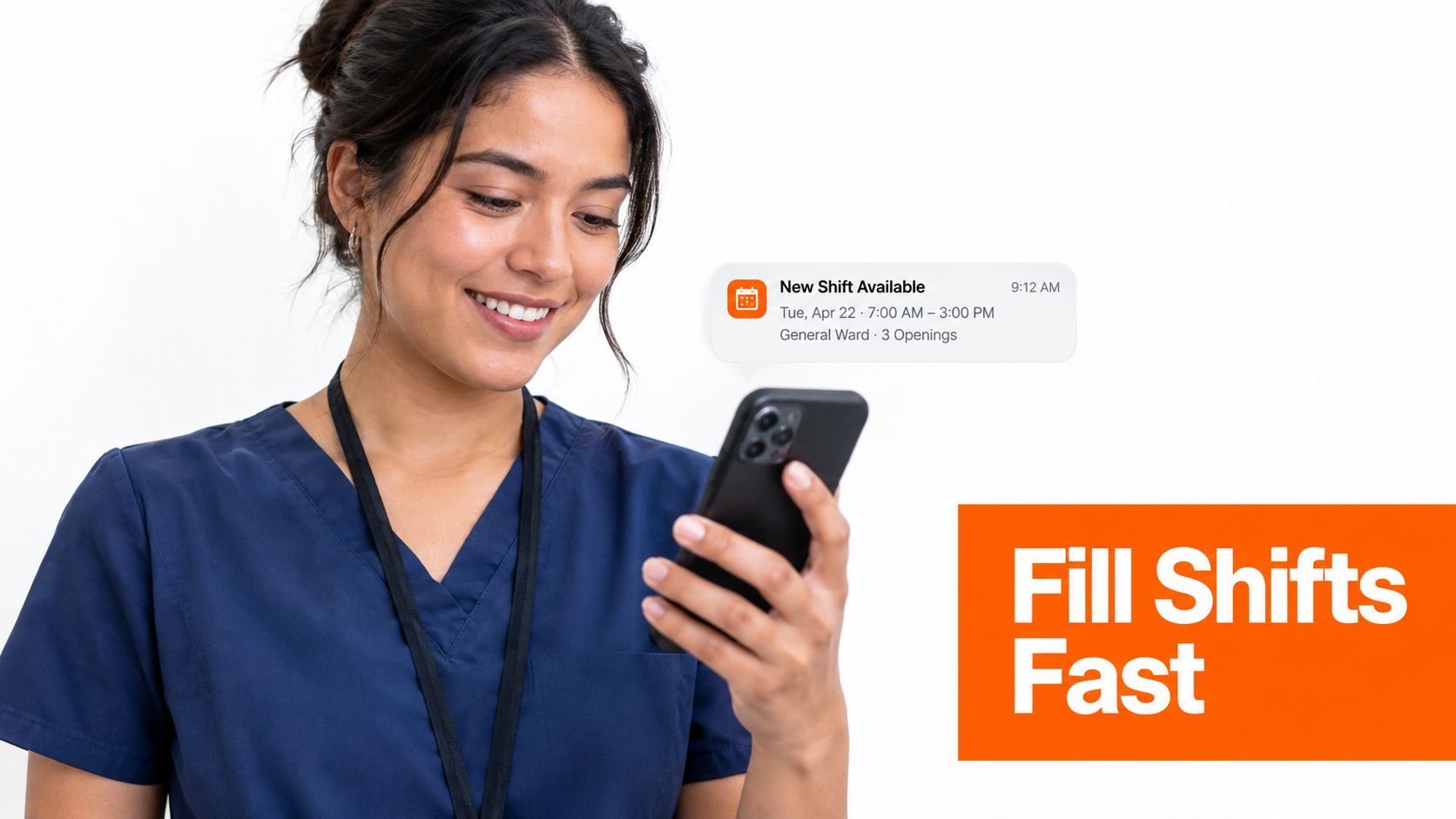
Targeted outreach fixes that by treating an open shift like an operating workflow, not a broadcast. Start with the small group that can work the shift, then make the offer clear enough for someone to commit without a back-and-forth thread.
A good filter is tighter than role alone. Use role, location, availability, overtime risk, recent attendance, and whether the employee is already approaching hours that will complicate payroll or tip treatment. If a server is qualified but would push into unauthorized overtime, that is not a clean fill. If a bartender can pick up the shift but has a pattern of late arrivals, send the offer to stronger options first.
The message itself should answer the questions people use to decide quickly. Include start time, end time, location, role, side work expectations, and whether the shift is likely to be strong or weak for tips based on current sales patterns. Restaurants that connect scheduling, POS data, and timecards in one system have an advantage here. AnchOps can support that workflow by tying open shifts to the actual job, labor rules, and earnings context. The principle works in any platform. Send offers with enough operational detail that the employee knows what they are saying yes to.
One tactic helps reduce no-shows after the shift is filled. Require a confirmation step that records acceptance in the schedule, not in a text thread. Then send one reminder close enough to the shift to matter, but not so often that staff stop reading alerts.
Watch the shifts that keep coming back.
If Friday patio closes, Sunday brunch support, or a split lunch-to-dinner host shift always needs rescue, the problem is usually bigger than outreach. Check whether the shift has weak tip earnings, an unrealistic cut time, too much side work, or a manager employees avoid working with. Repeated open shifts are often a job design problem wearing a communication mask.
Tip expectations matter here too. Staff decide whether to pick up based on likely earnings, not just hours. Square reported lower average food and beverage tipping in Q2 2025 than Q1 2025, while Toast-linked reporting showed full-service and quick-service tip rates moving differently by format, according to this Square summer restaurant report. If your team still assumes every extra shift pays like last year's peak season, pickup rates will drift. Show realistic earnings ranges by shift type, then adjust staffing, sections, or incentives where the math no longer works.
8. Establish Clear Scheduling Rules and Publish Schedules Early to Give Employees Predictability and Stability
Tuesday at 4 p.m. is a bad time to learn you open on Wednesday.
That kind of late surprise creates more than frustration. It leads to missed confirmations, rushed shift changes, timecard edits, and payroll questions at the end of the week. In tipped restaurants, schedule disorder also turns into tip disputes because staff start asking why one server got the patio close, who approved the role change, or whether a support shift should share in a pool.
The fix is simple to describe and harder to run well. Set scheduling rules that managers follow every cycle, then publish early enough for employees to plan their lives and for the operation to clean up errors before the week starts.
A workable policy usually answers five questions in plain language:
- When is the schedule posted? Pick a day and time, then keep it consistent.
- When does it become final? Staff need to know when they can rely on it.
- How are changes requested? Use the scheduling system, not side texts.
- Who approves role changes? Server, bartender, host, and support assignments affect tip treatment and labor reporting.
- What notice is expected for non-emergency edits? Put a minimum standard in writing.
Managers need rules too. If one GM posts ten days out, another posts two days out, and a shift lead keeps making verbal edits after close, employees stop trusting the schedule and start protecting themselves. That usually shows up as lower pickup rates, more availability conflicts, and more payroll cleanup.
Early publication also improves the rest of the operating workflow. A stable schedule gives you time to verify job codes, check that opening and closing assignments match expected sales, and catch role placements that will create tip allocation problems later. If your system connects scheduling, POS sales, timecards, and payroll, this step matters even more. AnchOps can support that handoff, but the operating principle applies in any restaurant system. Publish early enough that someone can still audit the week before punches start.
Here is the practical standard I recommend. Post the schedule with enough lead time for employees to plan transportation, childcare, and second jobs. Then set a cutoff for routine edits. After that point, every change should leave a record in the system with the approver, the role, and the effective shift time.
For broader operator thinking around team stability and execution, there's useful perspective in Monopack's restaurant management tag.
This discipline also supports compliance. Federal rules allow employers to require tipped employees to participate in a valid tip pool under the Fair Labor Standards Act, but in a traditional tip credit arrangement the pool must be limited to employees who customarily and regularly receive tips, and employers can't keep employee tips for themselves, according to the U.S. Department of Labor's fact sheet on tipped employees and tip pooling under the FLSA. Washington goes further. The state says mandatory tip pools or tip-outs cannot include salaried-exempt managers or business owners, though they can include some non-customer-facing employees such as kitchen staff and hourly leads, and employees cannot be required to contribute more than they received in tips, according to Washington state guidance on tips and service charges.
Clear schedule rules will not fix every labor problem. They do give staff predictability, give managers fewer exceptions to sort through, and make tip calculations, timecards, and payroll reconciliation easier to explain.
8-Point Shift & Labor Tips Comparison
| Solution | Implementation complexity 🔄 | Resource requirements ⚡ | Expected outcomes 📊 | Ideal use cases ⭐ | Key advantages & tips 💡 |
|---|---|---|---|---|---|
| Build a Reliability Scoring System to Identify Your Most Dependable Staff | Moderate, scoring model, data pipeline, UI exposure | Timekeeping data + moderate engineering; mobile app visibility | Measurable drop in no-shows and better coverage assignments | Teams with attendance variability or multi-unit operators needing objective staffing | Creates accountability and defensible decisions; share scores regularly and address new-hire cold-start |
| Automate Schedule Drafts from Sales History and Employee Availability to Save Planning Time | High, forecasting model, POS integration, rules engine | Historical sales (≥12 weeks), up-to-date availability, setup and tuning effort | Faster schedule creation (minutes vs hours); better alignment of labor to demand | Multi-location or high-traffic operations with variable demand | Big time savings; validate first drafts, set labor targets and review initial runs |
| Use Real-Time Labor Projections and Mid-Shift Alerts to Prevent Budget Overages | High, real-time feeds, alerting, dashboarding | POS/timeclock integration, alert configuration, supervisor decision authority | Fewer surprise labor overages; enables mid-shift corrective actions | Operations with tight margins or frequent mid-shift variability | Proactive cost control; set realistic thresholds and empower supervisors to act |
| Implement Peer-to-Peer Shift Swaps with Automatic Schedule Updates to Reduce Manager Workload | Low–Moderate, swap workflow + schedule sync and rules enforcement | Mobile app adoption, policy monitoring, manager audit tools | Large reduction in manager swap handling; faster swap resolution | Large staffs or flexible-schedule environments that need quick coverage | Increases employee control; require in-app confirmations and set swap windows |
| Automate Tip Calculations and Distributions Using Real POS Sales Data for Accuracy and Transparency | Moderate, POS integration, tip-rule engine, payroll export | POS access (e.g., Toast), initial rule configuration and testing | Fewer tip disputes; more accurate payroll; time savings for managers | Tip-pooling restaurants, delivery-heavy or multi-location groups | Improves trust via transparency; test calculations and communicate rule changes clearly |
| Track Timecards and Labor Costs in Real-Time to Catch Errors Before Payroll | Moderate, native time clock, POS timecard sync, batch approval workflow | Mobile/physical clocks, clean POS/timekeeping data, admin review routine | Reduced payroll errors; payroll processing time greatly reduced | Businesses needing payroll accuracy and auditability | Review timecards before payroll, enforce app clocking, set routine approval times |
| Use Targeted Shift Outreach to Fill Open Shifts Faster and Reduce No-Shows | Low–Moderate, matching algorithm + targeted notifications | Accurate skills/availability/reliability data; notification preferences | Much faster fills (10–20x) and fewer unfilled shifts | Operations with frequent last-minute gaps or hard-to-fill shifts | Keep staff data fresh; include shift details in notifications; respect DND windows |
| Establish Clear Scheduling Rules and Publish Schedules Early to Give Employees Predictability and Stability | Low, policy creation and consistent enforcement | Manager discipline, documented policy, communication channels | Improved employee predictability, reduced last-minute absences and disputes | Workforces requiring schedule stability (students, parents, part-time) | Publish consistently, allow documented exceptions, review compliance regularly |
Make Every Tip Distribution Easy to Explain
The best tip process isn't the one with the fanciest formula. It's the one a manager can verify quickly and an employee can understand without asking for a private walkthrough after every close.
That starts with stable operating inputs. Schedule dependable people first. Draft labor against demand, not habit. Let employees manage routine swaps inside the system so records stay accurate. Watch labor mid-shift so service and staffing don't drift apart. Then connect tip calculations to real POS sales instead of relying on notes, memory, and spreadsheet cleanup.
From there, the back-office rhythm should be repeatable. Define the distribution rules. Confirm who is eligible for the pool. Make sure the person who worked the shift is the person attached to the shift and the timecard. Review cash declarations, missed punches, dual-role time, and any unusual edits before payroll export. If a rule changes, communicate it before the next payout period, not after employees see a different number.
A transparent employee-facing report is one of the fastest ways to lower friction. People don't need every technical detail, but they do need to see the logic. Direct tips, pooled tips, tip-outs, declared cash, and any approved deductions should appear in a format that answers the obvious questions before they turn into disputes.
Compliance sits underneath all of this. Tip pool rules, role eligibility, recordkeeping, and redistribution timing aren't side topics. They shape how the workflow should be built. When restaurants separate scheduling from timekeeping, timekeeping from sales, and sales from payout reporting, managers end up doing the reconciliation manually. That's where confidence erodes.
If you want a practical place to start, build one reconciliation checklist and one employee report. Use them every pay cycle. Once that routine is stable, assess whether a single system can consolidate the work. For restaurants on Toast POS, AnchOps is one relevant option for bringing tip calculations, delivery distributions, timekeeping, and payroll export into the same workflow. Even if you use something else, the standard should stay the same.
The system you keep should be easy to audit, easy to explain, and hard to break on a busy night.
AnchOps gives shift-based restaurant teams one place to manage scheduling, coverage, timecards, labor visibility, and, for Toast POS users, tip calculations tied to real sales data. If you want tips on track without juggling separate spreadsheets, texts, and payout notes, visit AnchOps and review whether its workflow fits your operation.
Your back-of-house partner is ready
AnchOps handles scheduling, tip calculations, labor costs, and timecards — so you can focus on your restaurant, not your paperwork.