10 Connecteam Alternatives for Shift and Restaurant Teams
Published on
By Tony Newcome — Founder of AnchOps · Owner, Pizza Harbour
This article was drafted with AI assistance and reviewed by Tony Newcome, a working restaurant operator.
It's Tuesday morning. The schedule went out yesterday, and by nine the messages have started. A cook needs Thursday covered, two people want to trade Friday and Saturday, and someone is sick. When your tool doesn't match how shifts really run, every message lands on the manager.
That's why restaurant operators look beyond basic workforce communication software. The U.S. restaurant and foodservice sector employed approximately 15.7 million people in 2024, about 10% of the national workforce, with employment projected to reach 15.9 million in 2025 and 17.4 million by 2035. The workforce is large, distributed, and still fluid, not a static employee roster (National Restaurant Association workforce technology research).
This guide compares ten Connecteam alternatives through the same tests a manager faces: drafting the schedule, filling gaps, tracking time, syncing POS data, understanding the actual cost, and planning the switch. If payroll setup is part of the problem, this guide to payroll for cafes in Alloa is also useful.
Table of Contents
- 1. AnchOps
- Where AnchOps earns its place
- 2. Homebase
- What works for restaurant managers
- 3. When I Work
- The coverage workflow is the point
- 4. Deputy
- Forecasting versus control
- 5. 7shifts
- Where restaurant depth helps
- 6. Sling by Toast
- The Toast trade-off
- 7. HotSchedules by Fourth
- Who should use it
- 8. Humanity Schedule by TCP Software
- Configuration is both strength and cost
- 9. ZoomShift
- A good first scheduling system
- 10. Shiftboard
- When complexity is justified
- Top 10 Connecteam Alternatives, Features & Pricing
- Choosing a Connecteam Alternative and Switching Without Chaos
1. AnchOps
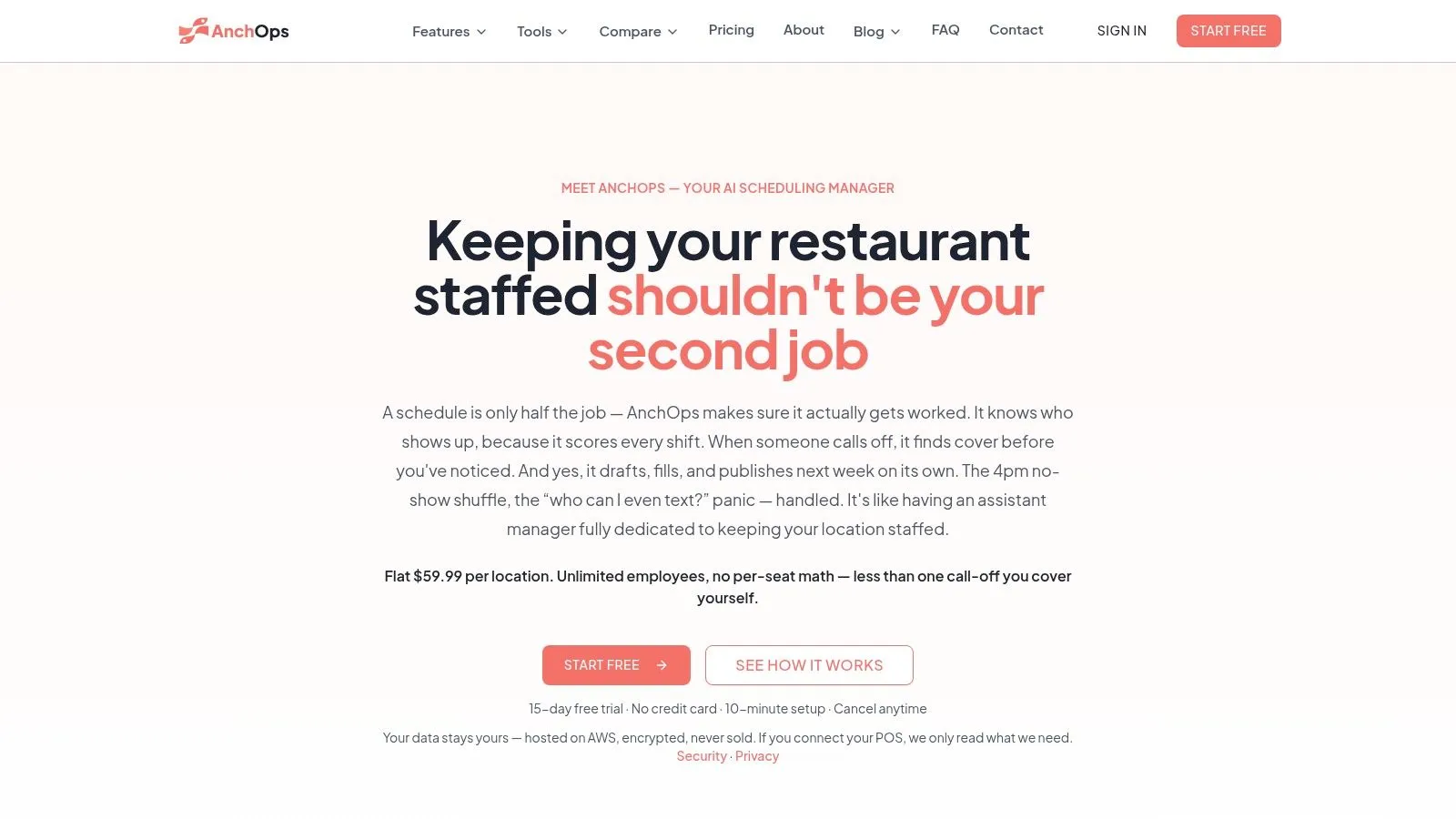
AnchOps is the strongest fit when scheduling has become a second job. It's built around the full restaurant workflow, not just announcements, checklists, and availability collection. The system drafts schedules from sales history and employee availability, identifies open shifts, contacts qualified staff, and fills the slot when the first person confirms.
Managers can publish with one tap or choose fully autonomous publishing. That matters during a busy week, but autonomy should be introduced carefully. Start with draft-only mode, review the assignments, then increase automation after employees understand how the system makes decisions.
Where AnchOps earns its place
The key differentiator is reliability-based staffing. AnchOps uses rolling 90-day performance data to create Show-Up Scores based on attendance signals such as on-time arrivals, lateness, covers, and no-shows. The scheduler can favor reliable, qualified employees, while workers can see their personal score in the mobile app.
That visibility is important. Reliability scoring shouldn't become a hidden disciplinary system. Employees need to understand how the score is calculated, challenge incorrect time records, and distinguish an approved emergency from an avoidable absence. Research has found that only 17% of frontline workers said their employer was transparent about workplace AI, while only 15% were consulted before AI tools were implemented (PNAS research on worker uncertainty and algorithmic management).
Practical rule: Use reliability scores as an operational signal, not as an unexplained penalty.
For restaurants on Toast, AnchOps goes beyond shift coverage. Native Toast POS sync supports timecards, real-sales tip-pool calculations, tip-outs, delivery, cash declarations, and payroll export. Built-in labor projections show expected cost before publishing, while mid-shift alerts flag labor drifting away from target.
The trade-off is POS dependence. Operators on another POS won't get the same depth of tip and sales automation. Adoption also takes work, especially if employees don't trust automated assignment at first. The public App Store sample is small, with a 5.0 rating from three ratings, so buyers should test the workflow rather than rely on review volume.
AnchOps charges a flat $59.99 per location with unlimited employees. It offers a 15-day trial without a credit card, plus free-plan options. Data is hosted on AWS with encryption, and POS connections are limited to required read scopes. It's a particularly strong choice for independent restaurants, multi-unit operators, and Toast-based teams that want scheduling, coverage, timekeeping, and labor control in one loop.
2. Homebase
Homebase is a practical choice for a restaurant, café, retail shop, or service business operating from a fixed location. Its free plan gives one location a low-friction starting point, and the interface is familiar enough that managers and hourly employees usually adopt it without much training.
The schedule builder handles availability, PTO, and shift swaps. Employees can clock in through the mobile app, with GPS, geofencing, and punch alerts available depending on the plan. That makes it useful for catching early punches, late arrivals, and time entries that don't line up with the workplace.
What works for restaurant managers
Homebase connects with POS platforms including Toast, Square, Clover, and Shopify. That lets managers compare sales and labor without rebuilding the report manually. Hiring and onboarding tools are also included, with support for multi-site operations, so the platform can cover more of the employee lifecycle than a scheduling-only product.
The main limitation is depth. Homebase is easy to start with, but advanced automation, compliance controls, and detailed labor workflows may require paid tiers or add-ons. Managers who want a system to generate schedules from sales history, target the most reliable qualified employee for a call-off, and monitor labor drift during service may outgrow its simpler approach.
Before choosing it, compare the workflow with AnchOps versus Homebase, especially if you need automated coverage rather than employee communication around an existing schedule.
Homebase fits best when the priority is fast adoption, a broad small-business feature set, and POS-connected reporting. It's less compelling when the manager's main problem is repetitive schedule construction or a high volume of last-minute coverage decisions.
3. When I Work
When I Work is built for the daily churn of shift teams. Its strengths are scheduling, open shifts, shift swaps, and messaging tied directly to the schedule. Employees don't need to search through a separate chat thread to find the shift they're discussing.
The platform supports auto-scheduling, forecasting tools, multi-location operations, and time tracking with GPS or geofencing. That gives it a useful balance for growing businesses that need more structure than a spreadsheet but don't want an enterprise rollout.
The coverage workflow is the point
When a cook calls out, the manager can post an open shift instead of sending the same message to everyone. Employees can claim or swap shifts in the app, and the schedule updates in the same place. That reduces duplicate replies and makes it easier to see whether a gap is filled.
The trade-off is that the system still expects managers to configure and supervise the workflow. It can help organize coverage, but it isn't as operations-first as a platform that selects qualified employees based on reliability and fills the slot automatically.
Time and attendance are optional, which keeps the entry point flexible but can complicate pricing comparisons. Teams should evaluate the cost with clocking, payroll, POS integrations, and any required API, webhook, or SSO access turned on. Advanced automation and enterprise connections sit at higher tiers.
When I Work is a good fit for teams that value clear shift communication and employee-led swaps. It's less suitable when the main goal is to remove managers from repetitive coverage outreach altogether. The When I Work website is the best place to verify the plan configuration for your locations.
4. Deputy
Deputy is the better option when scheduling and compliance have to work together. It supports demand forecasting, AI-assisted auto-scheduling, break and overtime rules, meal-period safeguards, leave management, and geofenced time clocks.
That combination matters in restaurants. A schedule can look fully covered and still create problems if it violates a break rule, pushes someone into overtime, or assigns a worker who lacks the required role or certification. Deputy gives managers more guardrails before those issues reach payroll.
Forecasting versus control
The platform's demand-based scheduling is useful for businesses that plan labor against expected volume. It can help managers build a schedule around operational demand instead of repeating last week's roster. It also offers integrations across payroll, POS, and HR systems.
The cost is complexity. A small independent restaurant may not need the full set of rule configurations, and some add-ons, such as SMS, can increase the total bill. Deputy's core HR breadth is also lighter than a full human capital management suite.
Managers should test three scenarios before signing up: a normal schedule, a same-day absence, and a week where overtime or meal-period rules are close to the limit. If the system handles all three without creating extra administrative work, it's likely a strong fit.
For a direct restaurant-operations comparison, review AnchOps versus Deputy. Deputy is strongest where compliance, demand forecasting, and labor-rule protection matter more than deep restaurant-specific tip workflows. Visit the Deputy website for current integration and plan details.
5. 7shifts
7shifts is purpose-built for restaurants. Its scheduling tools understand front-of-house and back-of-house roles, availability, PTO, shift pools, labor budgets, and sales-driven staffing. That vertical focus is its main advantage over general deskless workforce platforms.
The platform connects schedules with sales and labor reporting through POS integrations. Managers can compare labor against revenue, review forecasts, and make staffing decisions before the shift rather than waiting for payroll to expose the problem. Time clocks, mobile access, and payroll connections support the same restaurant workflow.
Where restaurant depth helps
Tip tracking and tip-pooling options are available on higher tiers. That can reduce manual calculations, but managers still need to verify the rules and the employee-level records. The IRS requires employees to include directly received tips, charged tips paid by the employer, and their share of tip-splitting or tip-pooling arrangements in gross income (IRS Publication 531).
Operators should reconcile POS sales, declared cash tips, pool distributions, and tip-outs by employee and shift. Service charges must be recorded separately because they aren't voluntary tips and may be treated as wages.
7shifts is especially strong for QSR, fast-casual, full-service, franchise, and multi-location operators. The trade-off is that it isn't designed for teams outside hospitality, and pricing often requires a conversation with sales. Payroll may also be billed separately.
Choose 7shifts when you need restaurant-specific forecasting, labor controls, and broad POS or payroll connectivity. Choose a more general platform if the same system must support field teams, retail, or non-hospitality operations. The 7shifts website provides the current integration list.
6. Sling by Toast
Sling makes the most sense for restaurants already using Toast. Its scheduling, open-shift, shift-swap, chat, announcement, and time-clock features sit close to the Toast ecosystem, which can reduce reconciliation work for operators who want sales, labor, and time data in one environment.
Managers can publish schedules, let employees claim available shifts, and handle swaps through the mobile app. Toast users can also review labor costs against sales and synchronize time data with Toast systems.
The Toast trade-off
The integration is the reason to choose Sling, and also the main limitation. Teams that don't use Toast may not get the same value, and standalone POS support varies. The free plan is limited to 30 users for non-Toast accounts, while advanced features require paid tiers.
Sling is useful when the problem is fragmented communication around an otherwise stable schedule. It's less useful when the manager needs autonomous schedule drafting, reliability-weighted staffing, or real-sales tip calculations that cover the entire scheduling-to-payroll loop.
Before switching, run one real pay period through the system. Check whether employees can swap shifts without manager confusion, whether time data reaches payroll cleanly, and whether the sales-versus-labor view answers the question you ask during service.
For a closer operational comparison, see AnchOps versus Sling. Sling is a sensible Toast-adjacent option for teams that want simple scheduling and communication inside the Toast ecosystem. Confirm the current plan details on the Sling website.
7. HotSchedules by Fourth
HotSchedules is designed for restaurant groups that need more than a schedule builder. It combines forecast-driven scheduling, labor optimization, manager dashboards, and mobile shift management within Fourth's larger hospitality suite.
That makes it a different class of tool from lightweight scheduling apps. A multi-brand restaurant group may value the ability to connect workforce planning with inventory, payroll, forecasting, and analytics. Enterprise support and established implementation playbooks can also matter when every location needs consistent operating rules.
Who should use it
HotSchedules is a strong candidate for multi-unit operators with formal labor processes, centralized reporting, and several hospitality systems already in place. The platform can support larger operational structures where a local manager shouldn't have to design the entire scheduling method from scratch.
The downside is rollout weight. A single-site independent restaurant may spend more time and money implementing the suite than it saves. Pricing is typically quote-based, so buyers need a complete proposal that includes locations, employees, integrations, implementation, support, and any modules required for payroll or forecasting.
Test the product with a real week of demand data, not a clean demonstration scenario. Ask who owns configuration after launch, how quickly managers can correct a forecast, and whether employees can handle open shifts without creating a parallel text-message process.
HotSchedules fits operators who want a mature hospitality stack and enterprise support. It's likely overbuilt for a restaurant that only needs a schedule, time clock, and simple coverage workflow. Details are available on the HotSchedules page from Fourth.
8. Humanity Schedule by TCP Software
Humanity Schedule combines cloud scheduling, time tracking, availability, PTO, shift swaps, mobile access, and compliance reporting. It's a good fit for larger SMBs and mid-market organizations where scheduling rules vary across locations or roles.
The platform supports configurable rules, geofenced time clocks, payroll export, and audit-oriented reporting. That makes it useful when managers need to explain why a schedule was created, how a change was approved, or why a time entry was adjusted.
Configuration is both strength and cost
Humanity Schedule can handle more detailed scheduling logic than a lightweight app. It supports skill-based assignments, location structures, and compliance requirements that may be difficult to maintain in a spreadsheet.
The trade-off is administrative depth. A manager may need more setup before the system produces useful schedules, and some advanced features and SSO are limited to higher tiers. The product can feel slower to configure than a restaurant-first app when the operating model is simple.
Use a pilot location to configure the rules that create the most daily friction: availability constraints, overtime thresholds, approved leave, shift swaps, and payroll export fields. Don't judge the platform only by the schedule view. Review what happens when an employee changes availability after the schedule is published.
Humanity Schedule suits organizations that need rule control, auditability, and broad timekeeping in one application. The Humanity Schedule website has current product information and support options.
9. ZoomShift
ZoomShift keeps the scheduling workflow light. It's aimed at hourly teams that want templates, auto-scheduling, geofenced time clocks, overtime warnings, and schedule-versus-timesheet views without a long implementation.
That simplicity is useful for a small restaurant, shop, or service team where the manager still knows most employees personally. Templates speed up routine weeks, while conflict prevention can catch overlapping shifts, early punches, late punches, and overtime risks before they become payroll corrections.
A good first scheduling system
ZoomShift is easy to deploy and offers onboarding support. Role permissions help separate owner, manager, and employee access, while mobile clocking gives managers a better record than paper timesheets.
It doesn't have the same enterprise compliance depth as larger workforce platforms. Its integration catalog is also smaller than restaurant-specific leaders, so POS synchronization and tip workflows deserve careful testing. If the manager's biggest issue is sales-driven labor planning, ZoomShift may stop short of the required analysis.
The right test is a busy week with one late employee, one open shift, and one schedule change. See whether the system helps the manager resolve the issue or merely records it after the fact.
ZoomShift is a good fit for teams that want fast setup, simple controls, and low administrative overhead. It can also work alongside safety processes, although teams comparing broader worker-protection products should review these lone worker safety options. Visit the ZoomShift website for current plan information.
10. Shiftboard
Shiftboard is built for complex shift operations rather than a basic weekly rota. Its rule engine supports demand-based scheduling, overtime controls, skills, seniority, certifications, fatigue management, shift bidding, and audit requirements.
That makes it more relevant to manufacturing, logistics, energy, healthcare, and other regulated environments than to a small restaurant. The platform can check eligibility before offering a shift, which reduces the chance that a manager fills a gap with someone who lacks the required skill or violates a scheduling rule.
When complexity is justified
Self-service bidding and preference management give employees more control, while mobile messaging supports last-minute coverage changes. In unionized or continuously operating environments, those capabilities can prevent manual arguments over priority, eligibility, and assignment order.
The trade-off is implementation. Pricing is quote-based, and setup usually requires more operational design than a small team expects. A single-site business with straightforward roles may pay for rule depth it never uses.
Shiftboard becomes worth considering when coverage failures carry safety, regulatory, contractual, or production consequences. It's less suitable when the main requirement is publishing a weekly restaurant schedule and tracking hours.
Ask the vendor to model your hardest rule, not your easiest schedule. The Shiftboard website is the place to confirm whether its current configuration supports your industry and labor requirements.
Top 10 Connecteam Alternatives, Features & Pricing
| Product | Core features | UX & Reliability | Price & Value | Target audience | Unique selling points |
|---|---|---|---|---|---|
| AnchOps 🏆 | Automated schedule drafts & gap-filling; built-in time clock; native Toast POS sync | ★ Show‑Up Scores (rolling 90‑day); mobile apps; mid‑shift alerts | 💰 $59.99/location flat; free trial/free plan | 👥 Independent & multi‑unit restaurants (Toast users); shift teams | ✨ Real‑sales tip pooling & payouts; adjustable autonomy; AWS‑hosted encrypted data |
| Homebase | Drag‑and‑drop scheduling; mobile time clock; POS integrations | ★ Easy to adopt; usable mobile UX | 💰 Free plan (1 location); paid tiers | 👥 Small restaurants, retail & service businesses | ✨ Hiring/onboarding + end‑to‑end small‑biz ecosystem |
| When I Work | Auto‑scheduling, open shifts, shift swaps; in‑app messaging | ★ Good ease‑of‑use; messaging tied to schedule | 💰 Transparent per‑user pricing; 14‑day trial | 👥 Deskless teams scaling single→multi‑site | ✨ Clear per‑user pricing; scales without retooling |
| Deputy | Demand forecasting; break/overtime rule sets; time & attendance | ★ Strong compliance & automation | 💰 Per‑user pricing; add‑ons may apply | 👥 SMB → mid‑market restaurants, retail, healthcare | ✨ Robust labor‑rule coverage & compliance alerts |
| 7shifts | Restaurant scheduling; labor budgeting; tip tracking | ★ Restaurant‑focused UX and workflows | 💰 Tiered pricing; add‑ons (payroll), sales contact | 👥 QSR, fast‑casual & full‑service restaurants | ✨ Deep restaurant POS/payroll ecosystem; forecasting |
| Sling (by Toast) | Scheduling, shift swaps, in‑app chat; Toast sync | ★ Simple, streamlined for Toast users | 💰 Free plan for small teams; per‑user tiers | 👥 Restaurants on Toast | ✨ Native Toast integration for sales/labor/time |
| HotSchedules (by Fourth) | Forecast‑driven scheduling; manager dashboards; labor optimization | ★ Proven at scale for multi‑unit operations | 💰 Quote‑based enterprise pricing | 👥 Multi‑unit restaurant groups & franchises | ✨ Extendable into inventory, payroll & analytics (Fourth) |
| Humanity Schedule | Drag‑and‑drop scheduling; compliance reporting; time clock | ★ Robust rule sets; 24/7 support options | 💰 Per‑employee pricing; annual discounts | 👥 Larger SMBs & mid‑market multi‑site orgs | ✨ Audit/compliance features and configurable rules |
| ZoomShift | Schedule builder with templates; geofenced time clock | ★ Lightweight & fast to deploy | 💰 Low per‑user pricing; 14‑day trial | 👥 Small hourly teams & independents | ✨ Quick setup; OT warnings & conflict prevention |
| Shiftboard | Rule engine for overtime/skills; self‑serve bidding & compliance | ★ Powerful for complex, regulated ops | 💰 Quote‑based; implementation required | 👥 Manufacturing, logistics, energy, healthcare | ✨ Advanced rule/compliance engine; fatigue management |
Choosing a Connecteam Alternative and Switching Without Chaos
Start with the job you need done most. If the pain is weekly drafting and open-shift gaps, shortlist tools with strong scheduling automation. If tips and POS data cause the most trouble, check how well each tool connects to your own POS before anything else.
Restaurant labor remains active even as turnover improves. During the four months before March 2024, restaurant and accommodation employees quit at an average monthly rate of 4.8%, down from 5.8% in 2021 and 2022 and slightly below the 4.9% average recorded in 2019 (National Restaurant News coverage of restaurant turnover). The same source reported 941,000 job openings at the end of January 2024, while 88% of restaurant operators said they were likely to hire additional employees during the following six to twelve months. A system that helps managers use the available workforce well matters more than a tool that only stores employee profiles.
Run your shortlist against the actual shift cycle. Have each vendor show how a manager drafts a week, handles a call-off, approves a timecard, checks labor against sales, and corrects a tip or attendance error. Don't accept a polished demo that skips the moments that create work at six in the morning or ten minutes before service.
Test the exception, not the happy path: A platform earns its place by handling the sick call, missed punch, late swap, and payroll correction without forcing the manager back into group texts and spreadsheets.
Worker trust deserves its own test. Research on restaurant scheduling found that incorporating employee skills, skill levels, and stated preferences reduced labor costs by 12.3% compared with manual scheduling while improving productivity and employee satisfaction (EHL research on restaurant staff scheduling). That supports skill-aware scheduling, but it doesn't justify hiding scores or treating every attendance event as a character judgment.
Advance notice also affects coverage. Harvard Kennedy School's Shift Project found that 60% of service-sector workers receive less than two weeks' notice of their schedules (Deputy coverage of restaurant no-shows and schedule notice). Publish as early as practical, preserve recurring availability, and target open-shift outreach to workers who are both qualified and available. A clear first-confirmation process prevents several employees from assuming they own the same shift.
Before you cancel your current app, export the roster and availability. Run one location in parallel for two pay cycles, and confirm that staff can see their schedules on their phones before you turn off the old system. Reconcile timecards, POS sales, tips, payroll exports, permissions, and employee notifications during the parallel period.
Use the same discipline when comparing tools for other shift-based settings. This RTO scheduling software guide offers another perspective on matching scheduling technology to operational requirements.
The best Connecteam alternative isn't the platform with the longest feature list. It's the one that removes the specific work your managers repeat every week, while keeping employees informed and giving them a fair way to understand and challenge decisions that affect their shifts.
AnchOps automates schedule drafting, targeted shift coverage, timekeeping, labor projections, and, for Toast restaurants, real-sales tip calculations in one workflow. If your managers are still chasing call-offs or rebuilding labor reports by hand, visit AnchOps to see whether it fits your operation.
Your back-of-house partner is ready
AnchOps handles scheduling, tip calculations, labor costs, and timecards — so you can focus on your restaurant, not your paperwork.