What Is a Pay Period: A Complete Guide for 2026
Published on
By Tony Newcome — Founder of AnchOps · Owner, Pizza Harbour
This article was drafted with AI assistance and reviewed by Tony Newcome, a working restaurant operator.
A pay period is the recurring date range an employer uses to track hours and calculate wages before running payroll, most commonly weekly, biweekly, semimonthly, or monthly. In the U.S., 43.0% of private establishments paid employees biweekly, 27.0% paid weekly, 19.8% paid semimonthly, and 10.3% paid monthly in February 2023, so there isn't one default schedule that dominates the market (BLS pay-period data).
You're probably staring at a stack of timecards, a labor report, and a payroll deadline that doesn't care how busy the dining room was last night. In restaurants, the pay period isn't just an HR term. It decides when hours get locked in, when overtime gets counted, and how much cash leaves the bank before the weekend rush even starts.
Table of Contents
- What a Pay Period Is
- The Four Common Pay Period Cycles
- How Pay Periods Drive Payroll, Overtime, and Compliance
- A Worked Payroll Example for One Hourly Employee
- Pros and Cons of Each Frequency for Restaurant Operators
- How Scheduling and Payroll Tools Simplify Pay Periods
- Choosing and Managing Your Pay Period
What Is a Pay Period?
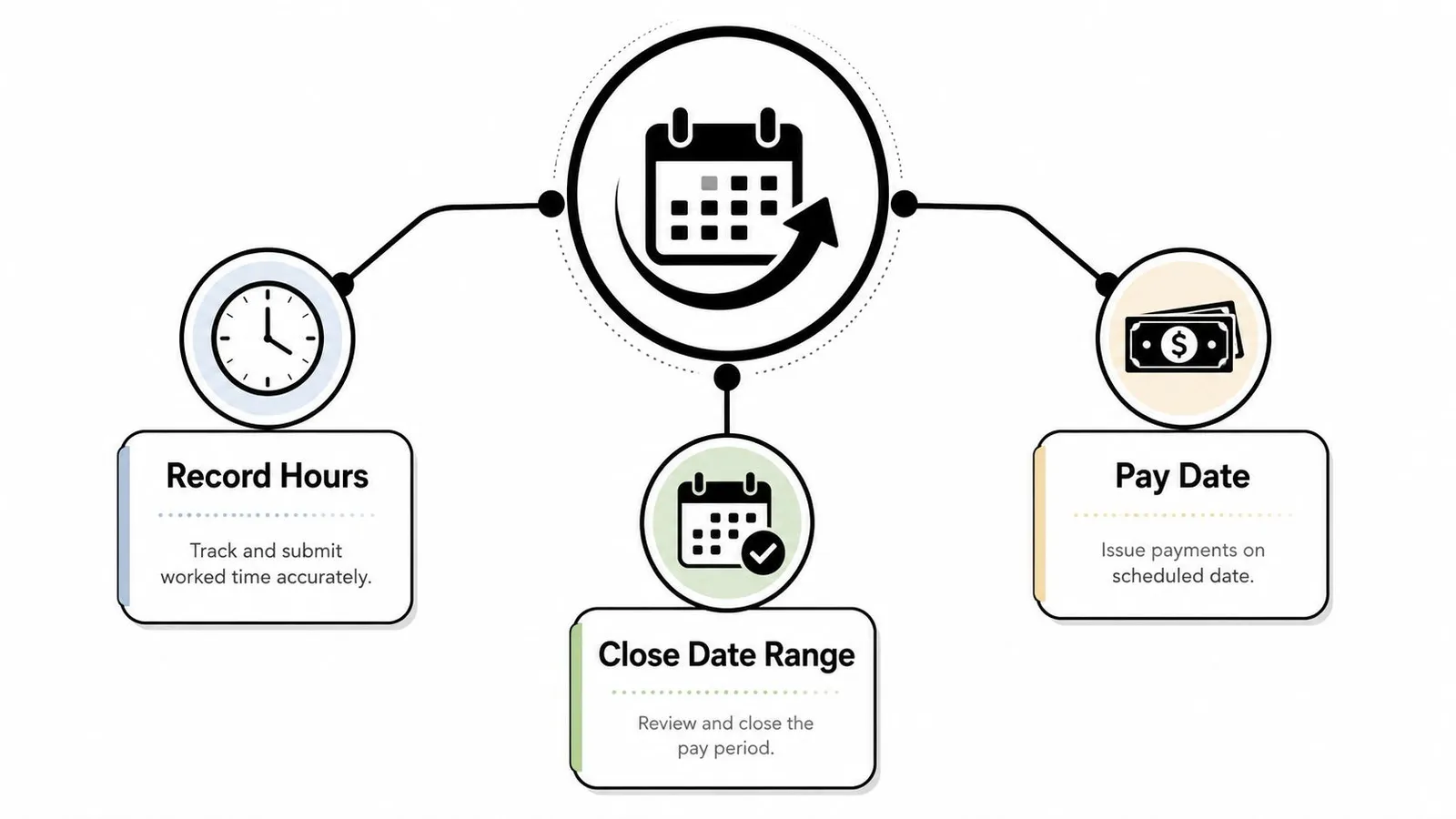
A pay period is the exact date range an employer uses to record work, calculate wages, and accrue overtime before payroll is processed. It is a closed interval, which means the start date and end date matter as much as the hours inside it. The pay date is separate. That is when money gets sent after timekeeping review, payroll calculations, and funding steps are finished (Neeyamo, Lano).
For a restaurant manager, that boundary changes real decisions. If your line cook clocks 80 hours across two weeks, those hours can land in one paycheck or another depending on where the cutoff falls. The work did not change, but the payroll timing did. A pay period is part of how you manage labor and cash flow, not just a setting in the payroll system.
Practical rule: close the period only after timecards, missed punches, and exceptions are checked, because once the interval closes, the payroll math has to match that exact window.
Restaurant operators choose among standard frequencies because labor needs, cash flow, and administration do not line up the same way in every kitchen. Analysts at the BLS found that in February 2023, biweekly was the largest category at 43.0%, followed by weekly at 27.0%, semimonthly at 19.8%, and monthly at 10.3% (BLS). That mix shows a simple point, one schedule does not fit every operation.
If you want a clean outside explanation of the payroll term itself, Allied Tax Advisors demystifies payroll in a way that is easy to compare with your own process.
What Are the Four Common Pay Period Cycles?
A restaurant manager has to choose a pay cycle the same way they choose a prep schedule. The choice changes when money goes out, how often employees get paid, and how much time the team has to review hours before payroll closes. A weekly team sees cash sooner. A monthly team waits longer between checks. Biweekly sits in the middle, while semimonthly follows the calendar instead of the workweek.
| Pay Period Frequencies at a Glance | Paychecks Per Year | How the Period Is Set | Best Fit For |
|---|---|---|---|
| Weekly | 52 | Every 7 days | Hourly teams that want frequent paydays |
| Biweekly | 26 | Every 14 days on a fixed weekday | Mixed hourly and salaried teams |
| Semimonthly | 24 | Two fixed dates each month, such as the 1st and 15th | Salaried-heavy operations |
| Monthly | 12 | One fixed date each month | Smaller payrolls with lower processing frequency |
The two cycles managers mix up most are biweekly and semimonthly. Biweekly means every 14 days, so payday stays on the same day of the week. Semimonthly means twice a month, so the dates stay fixed, but the weekday shifts. That difference shows up fast in a restaurant, especially when a period runs across a weekend, a holiday, or the end of a month, because that changes when timecards get reviewed and when labor costs hit the books.
A simple wage example makes the timing clearer. A steady $20 per hour employee working 40 hours a week earns the same hourly rate under any schedule, but the check rhythm changes. Weekly means smaller checks more often. Monthly means fewer checks with a longer wait in between. Biweekly and semimonthly land between those two, but they do not line up the same way on a calendar.
For a close look at how a payroll calendar behaves under a 12-pay structure, the guide to 12 pay payroll shows why monthly processing can look simple on paper and feel heavier in practice once hourly labor is part of the mix.
Restaurant operators also pay attention to how a schedule affects overtime review. If your labor team is checking weekly hours across a pay cycle, the timing can make a difference in what gets flagged before payroll runs. Tools built for overtime tracking in restaurant payroll help managers catch those overlaps before they become a problem.
Operator takeaway: the schedule you choose sets employee expectations as much as it sets accounting rhythm.
How Do Pay Periods Drive Payroll, Overtime, and Compliance?
A restaurant can close a pay period on Friday and still have work to do before money goes out. That gap gives managers time to review timecards, catch missed punches, correct labor allocations, and confirm deductions before payroll funds are released. In practice, that review window is where a small mistake stays small, or turns into wages that get paid incorrectly.
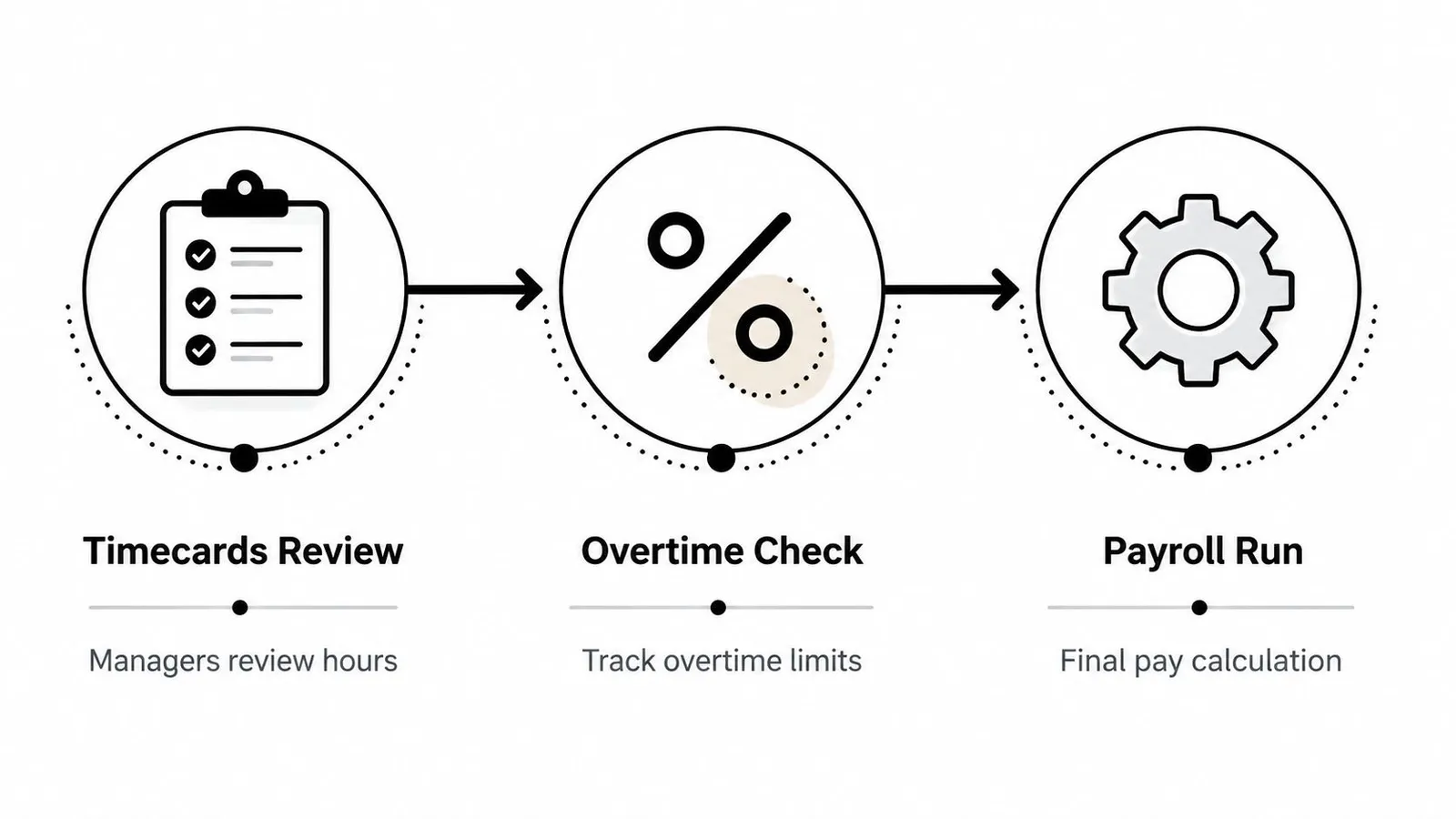
The overtime rule that trips up restaurant teams is straightforward, but easy to apply wrong. Federal overtime is measured by a 7-day workweek, not by the length of the pay period you choose. A semimonthly or monthly schedule still has to calculate overtime by week, so a line cook who works 50 hours in one week of a semimonthly period is owed 10 hours of overtime at the overtime rate, even if the pay cycle covers more calendar days than a normal week.
That is why time tracking has to be accurate before payroll closes. A pay period groups hours for payment, but it does not erase the weekly overtime threshold. If one workweek crosses into the next payroll window, the labor team still has to split the hours correctly. Restaurant managers who use overtime tracking tools for restaurant payroll usually do this by checking the workweek first, then matching each shift to the right pay cycle.
California adds another layer. Most employers there must pay wages at least twice during each calendar month on predesignated regular paydays, and the employer must post a notice showing the day, time, and location of payment (California DIR). For a restaurant operator, that means the pay period is a compliance issue as well as an admin choice.
A Worked Payroll Example for One Hourly Employee
Let's use one restaurant employee and keep the math plain. Say a host earns $18 per hour and is paid biweekly. In week 1, the host works 40 hours. In week 2, the host works 50 hours, so 10 hours count as overtime at 1.5 times the regular rate.
That means the regular wage portion covers 80 hours across the two weeks, while the overtime piece is paid separately at the overtime rate. A small tip-pool distribution can land on the same check as well, because payroll systems usually treat it as another pay-period earning line. From there, the employer applies withholdings such as Social Security, Medicare, and federal income tax before arriving at net pay.
A pay stub usually makes more sense when you read it in this order:
- Regular wages: the base hours worked at the standard rate.
- Overtime premium: the extra pay for hours above the weekly threshold.
- Allocated tips: tip-pool amounts that belong to that pay cycle.
- Withholdings: the payroll deductions taken before payment.
- Net pay: the amount the employee receives.
The important habit is to match every line item to the period it came from. If a manager approves hours late, the pay stub can still be correct, but the correction may have to land in the next payroll run depending on when the pay period closed.
A semimonthly version of the same employee works almost the same way. The check might cover different calendar dates, but the weekly overtime rule still governs the calculation. So the schedule changes the date range of the paycheck, not the overtime logic behind it.
Pros and Cons of Each Frequency for Restaurant Operators
A restaurant's pay period usually follows the same question a manager asks before opening the schedule, how much cash leaves the business, and how often do we need to touch payroll to keep service running smoothly. Weekly payroll puts money in employees' hands faster, which can help line cooks, servers, and hosts who live on hourly wages. It also means more frequent cash outflow and more payroll touchpoints for the management team.
Monthly payroll reduces the number of runs, but it stretches the wait between checks. For hourly restaurant staff, that can feel like a long gap, especially when tips and variable hours already make income harder to predict. Semimonthly and biweekly schedules usually sit in the middle, but they solve different problems. Biweekly keeps a steady rhythm for hourly teams, while semimonthly can fit a business with more salaried managers and a cleaner calendar-based payroll setup.
The BLS data from the 2013 release points to another pattern. Analysts found that semimonthly businesses had average hourly earnings of $29.75, monthly businesses $28.45, biweekly businesses $24.81, and weekly businesses $18.62 (BLS TED). That does not mean the schedule sets pay rates. It does show that the pay cycle often reflects the kind of workforce a business runs, and restaurants with more hourly labor usually feel that difference more sharply.
| Frequency | Main Upside | Main Trade-off |
|---|---|---|
| Weekly | Faster cash flow for staff | More payroll runs |
| Biweekly | Balanced cadence | Still requires careful overtime review |
| Semimonthly | Familiar calendar dates | Workweeks and pay dates don't line up neatly |
| Monthly | Lowest processing frequency | Long wait between checks |
A practical way to compare the options is to ask how each one affects the people who close the books after service. Weekly payroll gives you quicker feedback on labor costs, but it also gives you fewer chances to miss a correction before pay goes out. Biweekly is often easier to manage if your team can keep timecards current and review exceptions before the cycle closes. Semimonthly works better when payroll is tied to fixed dates, yet it can create confusion if managers expect every pay period to follow the same number of days. Monthly keeps processing light, but it asks hourly staff to wait the longest for money they have already earned.
If you are comparing vendors, payroll providers for mid-sized companies can help you see how support tools change the workload, especially when your staffing mix includes both hourly and salaried roles.
Owner's lens: pick the frequency your managers can run cleanly every cycle, not the one that looks easiest in a spreadsheet.
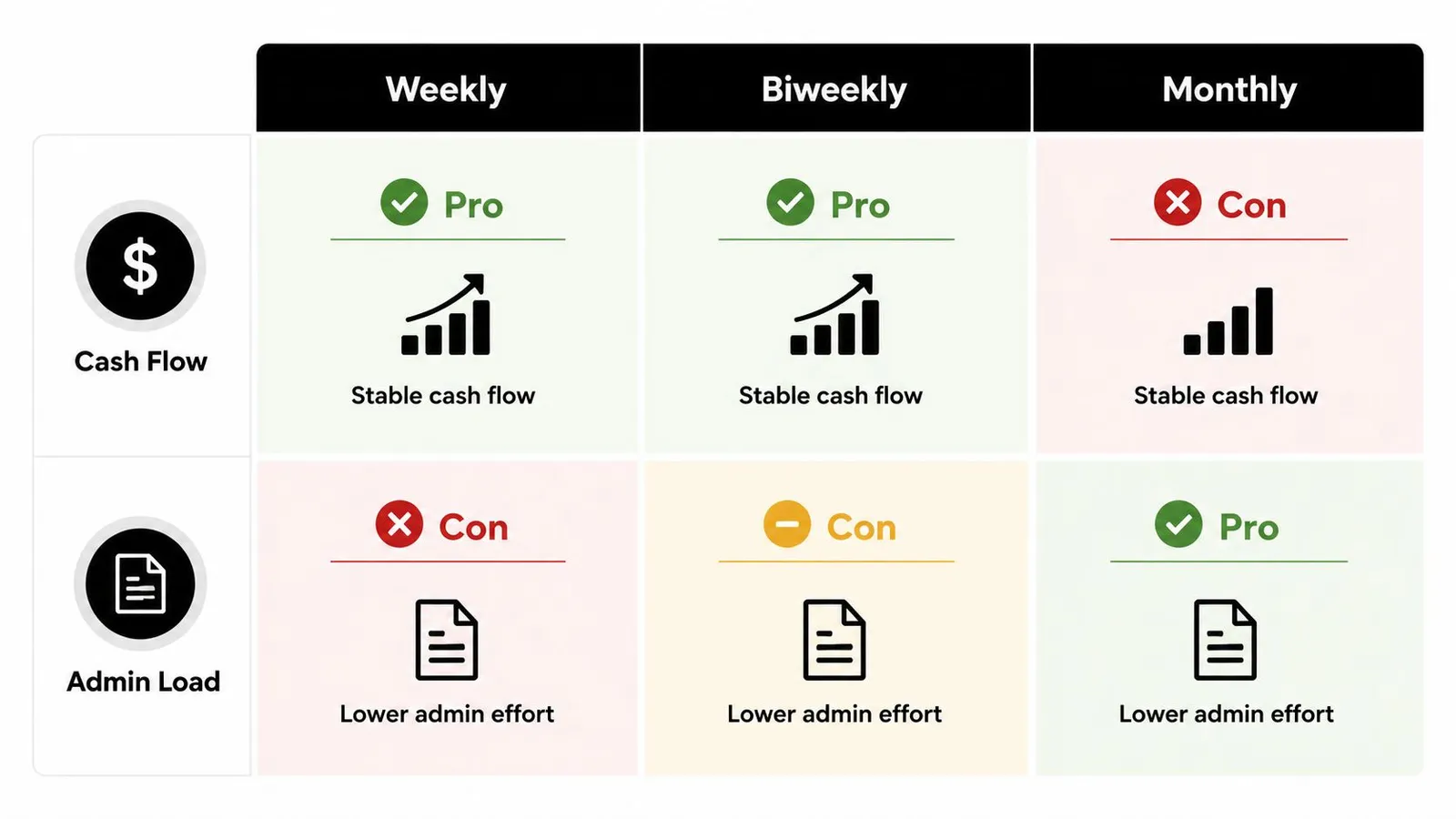
A restaurant operator also has to think about timing around labor spikes. A weekly cycle can make overtime costs surface faster, which helps if you need tight control after a busy weekend or a big event. Biweekly spreads that pressure out a bit, but the manager still needs to watch the weekly overtime rule inside the longer pay cycle. Semimonthly and monthly setups can make cash flow look calmer on paper, yet they can hide the cost of labor until the payroll close is already close at hand. That is why many operators choose a cycle based on how their team schedules, not just on how often they want to print checks.
For owners who want to cut down on manual payroll work, restaurant payroll automation strategies can reduce the back-and-forth between scheduling, approvals, and export files.
How Scheduling and Payroll Tools Simplify Pay Periods
A pay period turns messy fast when scheduling, timekeeping, tip math, and payroll export all live in different places. Restaurant software helps because it gives managers one place to review timecards, one place to approve exceptions, and one file that can move into payroll without extra copying.
AnchOps follows that same workflow. The weekly grid becomes the control center, batch approvals reduce scattered reviews, and the export can be set up for the payroll provider you already use. If your team is trying to keep labor on target before hours pile up, the labor planning overview is a useful companion, and the payroll automation guide shows how to streamline the export process. When overtime rules live in the scheduling layer, managers can catch a problem before the period closes instead of finding it after payroll has already started.
A pay period also gets easier to manage when the point-of-sale system feeds sales, hours, and tips into the same workflow. A restaurant running Toast POS can keep tip pools, tip-outs, and delivery allocations inside one process, so managers do not need separate spreadsheets for each earning type. Mid-shift alerts help too, because they flag labor drift before the close date locks the numbers in.
The benefit is control. Instead of treating payroll as a once-a-cycle scramble, the right workflow makes the pay period feel like a managed process. That matters in a restaurant, where a busy Friday can change labor exposure in a few hours and cash flow has to keep up with it. The software does not remove the decision, but it gives managers cleaner information before the cutoff hits.
Choosing and Managing Your Pay Period
Start with the rules, then fit the schedule to the business. State pay-frequency requirements come first. After that, look at your workforce mix, cash flow, admin capacity, and payroll provider support. If your concept is mostly hourly, a weekly or biweekly cycle is usually easier for employees to follow. If your team has more salaried roles, semimonthly may fit the calendar better.
Then lock the process down. Decide when timecards close, who approves exceptions, how overtime is reviewed, and what happens if an employee forgets to clock out. A pay period only works when managers know the cutoff time and treat it like a hard deadline.
A few operator questions come up all the time:
- Can you change pay frequencies mid-year? Usually yes, but you need to check state rules and update your payroll calendar carefully so you don't create a gap or overlap.
- What if the close date and pay date are different? That's normal. Use the period-close window to validate hours and make sure the scheduled payday still lines up with cash flow.
- Should salaried managers be on the same schedule as hourly staff? Not always. The better answer is the one that matches how your payroll system is set up and how your state rules apply.
If you run a restaurant, the schedule should mirror operations, not fight them. Build it once, document it clearly, and train every manager on the cutoff rules so payroll doesn't become a weekly fire drill.
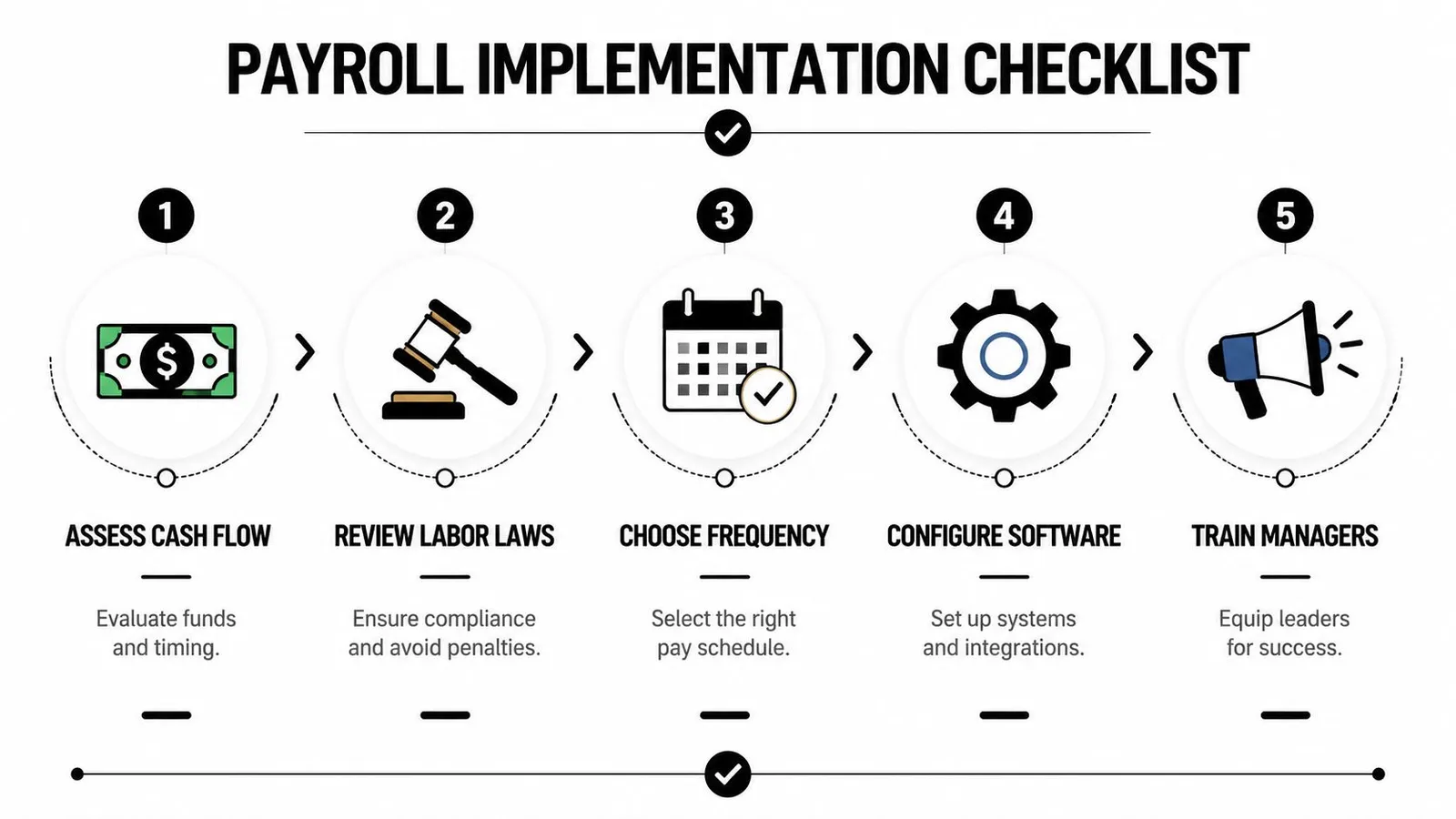
If you want a system that helps you keep labor aligned with the schedule you've chosen, AnchOps is built for restaurant operators who need cleaner timecard review, tighter labor control, and less payroll busywork. Visit it to see how scheduling, overtime visibility, and payroll-ready exports can fit the way your team already runs shifts.
Your back-of-house partner is ready
AnchOps handles scheduling, tip calculations, labor costs, and timecards — so you can focus on your restaurant, not your paperwork.