What Is Quick Service Restaurant: 2026 Guide
Published on
By Tony Newcome — Founder of AnchOps · Owner, Pizza Harbour
This article was drafted with AI assistance and reviewed by Tony Newcome, a working restaurant operator.
A quick service restaurant (QSR) is a restaurant model built around high throughput, repeatable production, tight labor control, and consistent service at an accessible price point — 'fast food' describes the menu, but the model is the real definition. The U.S. QSR market was valued around $447.2 billion in 2025; this guide covers the operational engine, labor challenges, and KPIs.
That’s why the answer to what is quick service restaurant goes well beyond “fast food.” A QSR is a restaurant model built around high throughput, repeatable production, tight labor control, and consistent service at an accessible price point. The food matters, but the model matters just as much. The best-run QSRs don't rely on heroics. They rely on systems.
This is also a very large business category. The U.S. QSR market was valued at approximately $447.2 billion in 2025 and is projected to reach $731.6 billion by 2030, while the global market is already worth over USD 1 trillion, according to Restroworks' QSR industry statistics. That scale explains why operators are investing hard in process, digital ordering, and better guest visibility. For teams improving front-of-house experience across Wi-Fi, loyalty, and digital touchpoints, tools focused on guest authentication for restaurants can help connect convenience with cleaner guest data.
A new manager usually sees the speed first. An experienced operator sees the trade-off underneath it. Every QSR decision touches the same three levers: labor, food cost, and throughput. If you understand those, you understand the business.
Table of Contents
- Introduction What Makes a QSR a QSR
- Limited menu built for repetition
- Service model designed around labor efficiency
- Value pricing that depends on volume
- Throughput over table time
- QSR vs Fast-Casual and Full-Service Restaurants
- Where the models split operationally
- Restaurant Model Comparison QSR vs Fast-Casual vs Full-Service
- The Operational Engine Behind QSR Speed
- Why kitchen design matters more than people think
- Digital ordering changed the bottleneck
- Decoding the Unique Labor Challenges in QSRs
- Turnover forces constant rebuilding
- The KPIs that actually help on the floor
- Essential KPIs Every QSR Operator Must Track
- Prime cost is the number that keeps you honest
- Use KPIs during the shift not after payroll
- How to Run Profitable Shifts with Smarter Labor Management
- Build the shift before the shift starts
- Correct labor drift while you still can
What Makes a QSR a QSR?
A QSR is a restaurant built to serve a lot of people quickly, consistently, and profitably. Guests usually order at a counter, drive-thru, kiosk, app, or pickup channel instead of settling in for table service. The menu is usually tighter, production is heavily standardized, and every station is designed to keep orders moving.
The easiest way to think about it is an assembly line with hospitality layered on top. Each role has a narrow job, each item has a repeatable build, and the whole operation depends on handoffs happening fast and clean. When the model works, the guest experiences convenience and value. When it breaks, the guest feels friction immediately.
Limited menu built for repetition
A limited menu isn't a weakness. It's a control system. Fewer ingredients, fewer builds, and fewer edge cases let the kitchen move faster and train people faster.
That matters during a rush. A broad menu creates decision drag, prep sprawl, and more chances for mistakes. A tight QSR menu lets the line repeat the same motions until they become automatic.
Practical rule: If a menu item slows the line, complicates prep, and doesn't earn its keep, it doesn't belong in a QSR.
Service model designed around labor efficiency
QSR service strips out a lot of labor that full-service restaurants carry by design. No server sections. No table pacing. Fewer touchpoints per guest. The labor gets concentrated where it affects speed most: order taking, production, packaging, and handoff.
That doesn’t mean labor is simple. It means every position has to produce. A cashier who can’t keep the line moving, a fry station that falls behind, or a closer who leaves prep undone will show up in service times and next-day headaches.
Value pricing that depends on volume
QSR pricing usually aims for broad appeal. Lower check averages only work when the operation can push enough volume through the building without losing control of labor and waste.
That’s the core trade-off. A full-service restaurant can absorb a slower turn with a higher average ticket. A QSR usually can’t. The model depends on repeat traffic, predictable execution, and fast cycle times.
Throughput over table time
A QSR doesn’t make money by encouraging guests to stay longer. It makes money by keeping the line moving and getting orders out correctly. Seating, if offered, supports convenience. It isn’t the centerpiece.
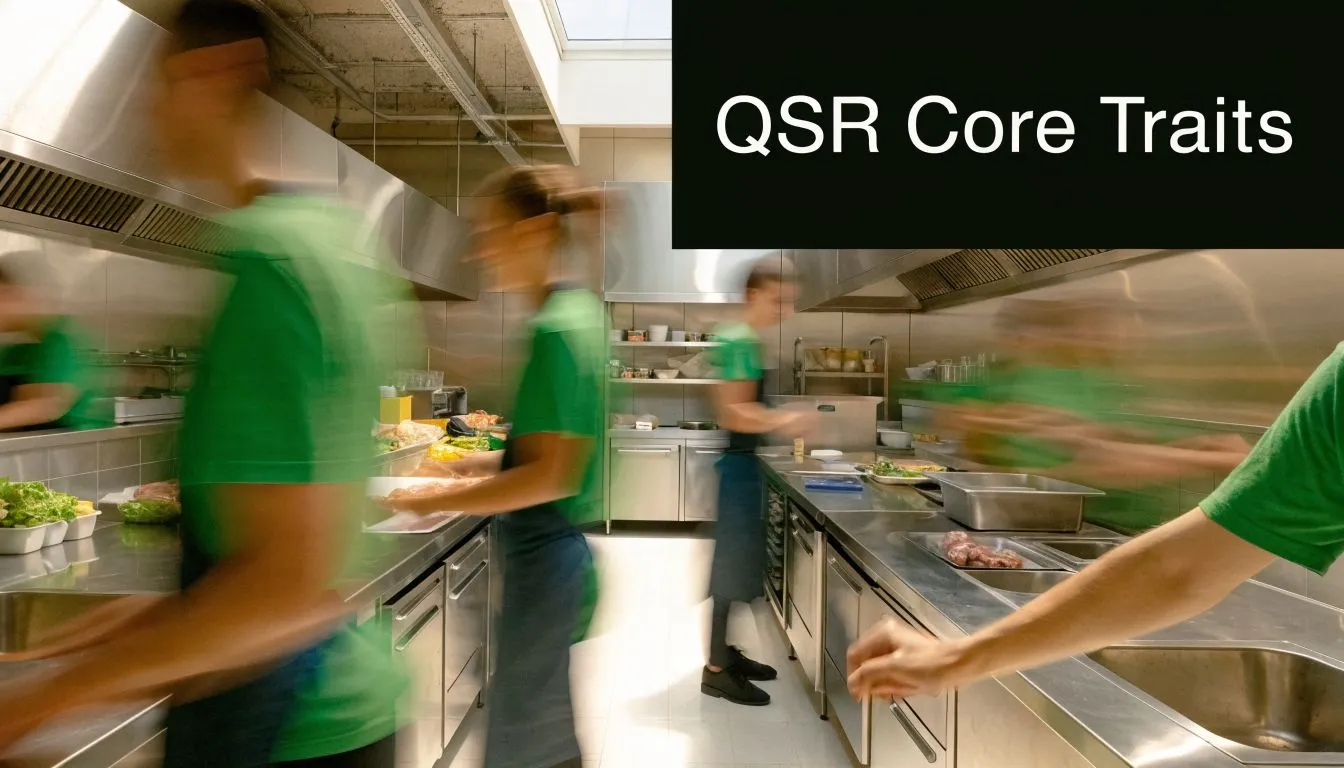
A useful comparison is a pit crew. Every person has a lane. Every motion is timed. Nobody is improvising unless something goes wrong. QSRs work the same way. Speed comes from coordinated repetition, not chaos.
How Does a QSR Differ from Fast-Casual and Full-Service?
Operators get into trouble when they blur these models without understanding what changes in the back of house. A guest might see all three as places to buy a meal. You have to see the labor model, production model, and service promise underneath.
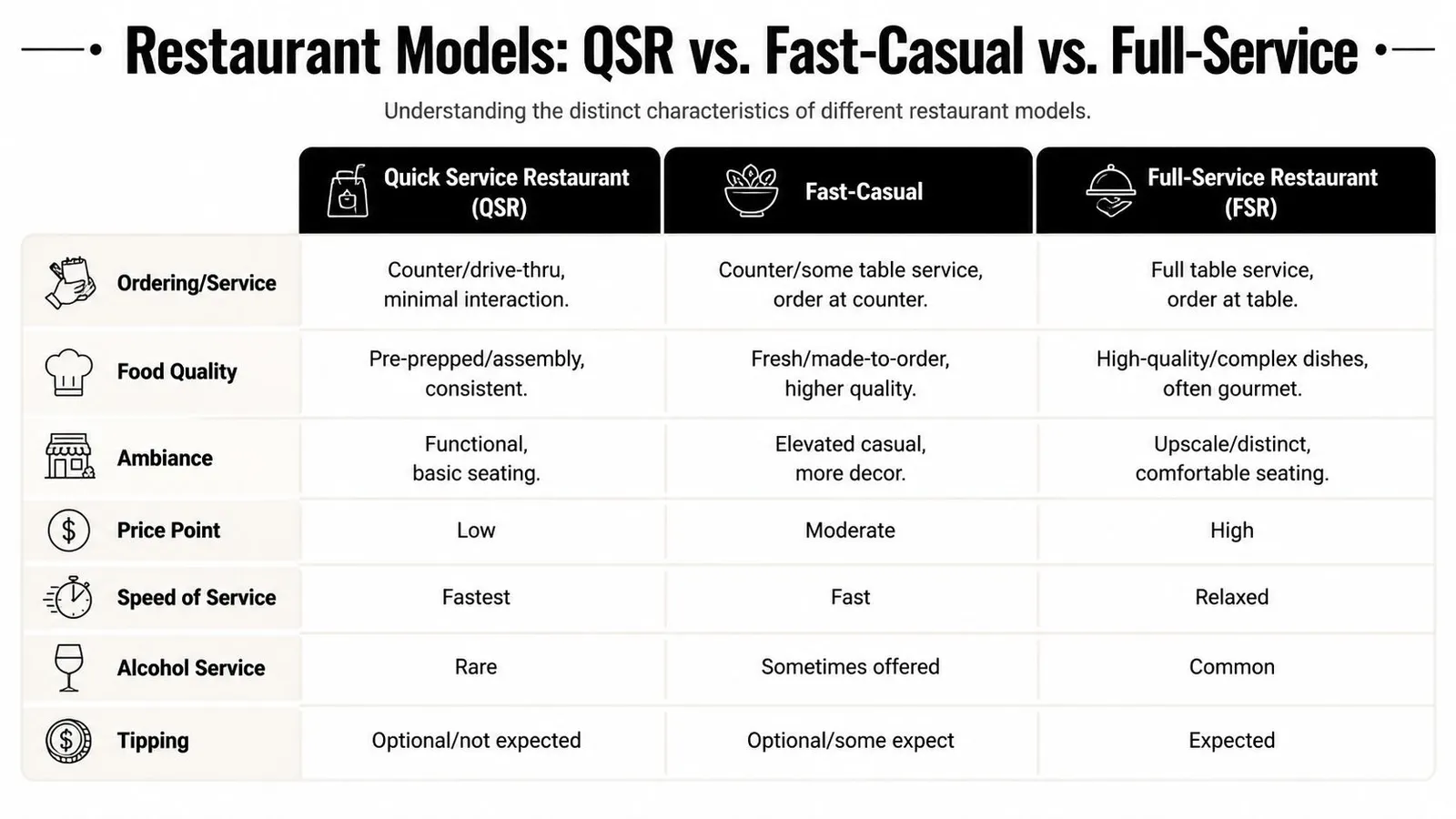
A QSR is built for speed first. A fast-casual concept usually adds more customization, a slightly more polished environment, and more made-to-order production. A full-service restaurant adds table service, a slower meal pace, and a higher expectation for hospitality.
Where the models split operationally
The biggest difference is where labor sits. In QSR, labor leans toward production and transaction speed. In fast-casual, labor often shifts toward assembly, customization, and guest guidance. In full-service, labor spreads across hosts, servers, bartenders, food runners, bussers, and kitchen teams.
Menu design follows that same logic. QSR menus are usually built to reduce friction at every step: ordering, cooking, assembly, and handoff. Fast-casual menus can support more modification, but that flexibility creates more line decisions. Full-service menus usually tolerate more complexity because the guest expects a slower experience.
Another dividing line is guest expectation. In QSR, guests will forgive a basic dining room if the order is fast and right. In full-service, they will not forgive weak service just because the food arrives quickly. Each model has its own definition of failure.
A lot of operators try to borrow the revenue upside of another model without accepting the labor cost that comes with it. That usually backfires.
Restaurant Model Comparison QSR vs Fast-Casual vs Full-Service
| Attribute | Quick-Service (QSR) | Fast-Casual | Full-Service |
|---|---|---|---|
| Ordering and service | Counter, drive-thru, kiosk, app, minimal interaction | Usually order at counter, some guest assistance, sometimes limited table support | Order at table with dedicated service staff |
| Menu structure | Narrower and highly standardized | Broader customization, more made-to-order feel | Wider menu range, often more course-driven |
| Speed of service | Fastest | Fast, but usually slower than QSR | Slower by design |
| Dining room role | Functional, convenience-focused | More polished casual environment | Hospitality and atmosphere are central |
| Labor use | Concentrated on speed, production, handoff | Split between assembly, guest support, and production | Spread across front and back of house service roles |
| Pricing approach | Value-focused | Mid-tier | Higher ticket, service-inclusive expectation |
| Operational risk | Falling behind on volume | Complexity creeping into throughput | Service breakdowns and pacing issues |
If you're managing a QSR, don’t judge your operation by full-service standards. Judge it by throughput, consistency, labor discipline, and order accuracy under pressure. That’s the game.
The Operational Engine Behind QSR Speed
The guest sees a bag on the counter. You see the chain of events behind it. Order entry, item routing, station setup, cook times, assembly, packaging, and handoff all have to line up. If one piece lags, the whole shift feels slower.
That’s why QSR speed is engineered, not wished into existence. Layout matters. Screens matter. Prep discipline matters. The best shift leaders know where delays start before the guest notices them.
Why kitchen design matters more than people think
A well-run QSR kitchen reduces steps. The line is arranged so people can reach what they need quickly, move product in one direction, and avoid crossing into each other’s space. You want clear stations, clear ownership, and clean handoffs.
When that setup is wrong, managers start blaming people for process problems. The grill cook takes too many steps. The assembler waits on product. The packer hunts for bags, lids, or condiments. None of that looks dramatic on its own, but together it slows every ticket.
A common shift problem goes like this:
- Counter gets slammed: Orders come in faster than production can absorb them.
- Kitchen starts batching poorly: One station tries to catch up by overproducing the wrong item.
- Expo loses sequence: Completed parts of orders sit waiting for one missing component.
- Guest times rise: Front counter and drive-thru both feel the delay.
The manager who fixes this fastest usually doesn’t shout louder. They re-balance the stations, simplify the flow, and cut the handoff friction.
Digital ordering changed the bottleneck
Self-service and digital ordering helped many QSRs speed up the front end, but they also pushed pressure into the kitchen. As of early 2026, 78% of QSRs use self-service kiosks, and kiosks can boost order speed by 25%, according to Cuboh’s QSR overview. The catch is operational. Faster ordering creates more fulfillment pressure, especially when kiosks, apps, and drive-thru all hit the same kitchen at once.
The old bottleneck used to be the register. Now it’s often the handoff line, packaging area, or the station with the longest cook or rebuild time. That shift changes staffing decisions. You may need fewer people taking orders and more people assembling, expediting, and managing pickup volume.
If digital orders surge and nobody owns fulfillment, your service times slip even when ordering looks smoother on paper.
Integrated systems help because they give managers live visibility. A POS tied to kitchen screens and order channels helps you see what kind of volume is coming in and where it’s piling up. Without that visibility, you’re reacting to a line in the lobby instead of the workload building behind the scenes.
Decoding the Unique Labor Challenges in QSRs
Labor is where QSR operations get real. Guests don’t see the group text asking who can cover a closing shift. They don’t see the manager rebuilding a schedule after two call-outs. They don’t see the trainer trying to teach standards while the store is already behind.
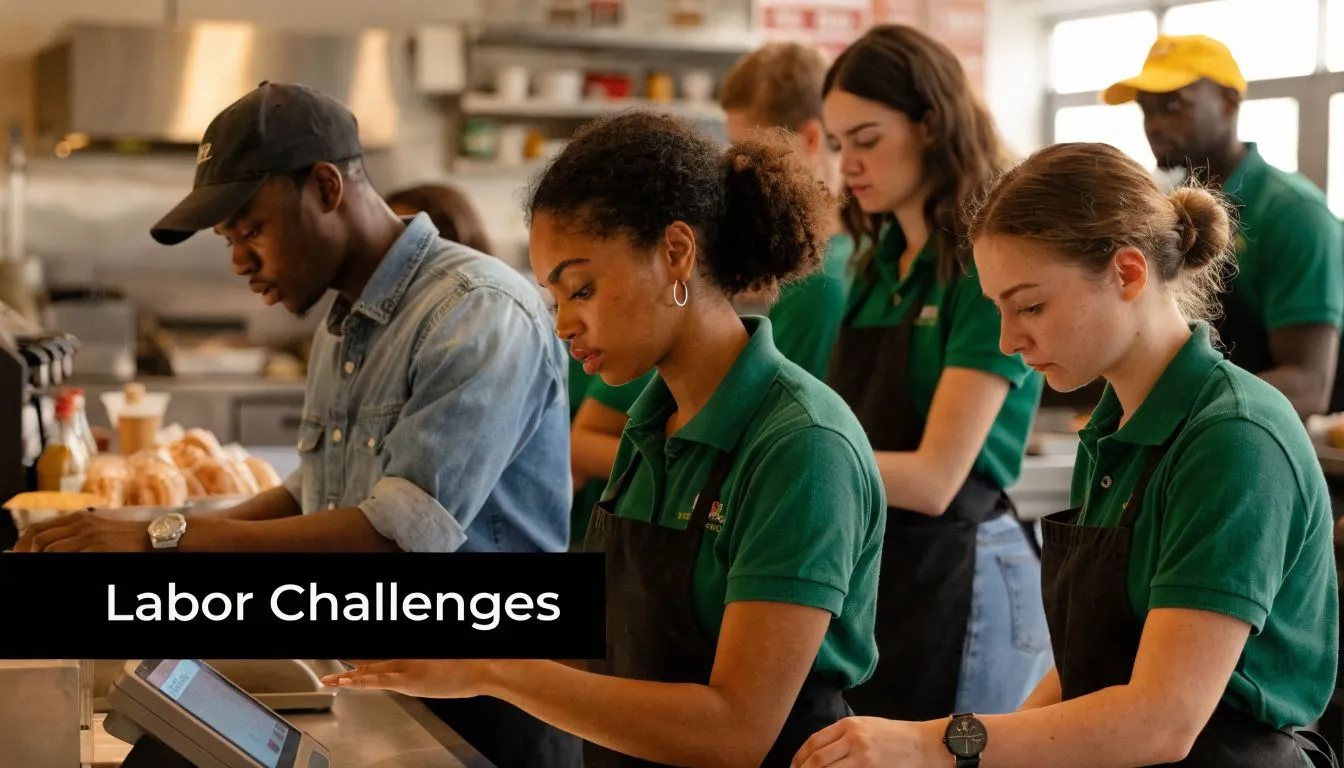
They only feel the result. Slow line. Wrong order. Dirty lobby. Closed channel. That’s why labor management is the part of QSR leadership that separates a decent operator from a strong one.
Turnover forces constant rebuilding
QSRs deal with unusually high churn. Employee turnover in QSRs is nearing 150% annually, and 62% of QSR general managers cite labor forecasting as their top operational pain point, according to Black Box Intelligence’s restaurant glossary reference. Those two facts explain a lot of daily pain.
When turnover is that high, you’re almost always training, retraining, or backfilling. That creates a few predictable problems:
- Skill gaps on busy shifts: Newer team members often need more supervision and slower station assignments.
- Schedule fragility: Part-time availability changes often, and one call-out can break the whole floor plan.
- Manager overload: Leaders spend time chasing coverage instead of coaching execution.
- Inconsistent standards: Procedures slip when the team changes faster than habits can stick.
Good onboarding matters here, especially around food safety and basic station discipline. If you're tightening training, structured accredited food handler programs can help managers build a cleaner baseline before new hires hit a live shift.
One operational habit helps more than people expect. Review labor performance weekly, not just payroll totals. A simple routine built around actual shift outcomes usually reveals recurring overstaffing windows, under-covered rushes, and expensive habits. A practical starting point is tracking restaurant labor cost by shift and role, then comparing that against what the schedule was supposed to produce.
The KPIs that actually help on the floor
Managers don’t need more reports. They need a few numbers that explain what happened and what to fix next.
Labor cost percentage is the share of sales spent on labor for a given period. If it jumps, ask why. Weak sales? Too many people on the clock? Overtime? Slow deployment? The number alone doesn’t solve the problem, but it tells you where to look.
Sales per labor hour shows whether the team produced enough revenue for the hours worked. This is especially useful when a shift felt busy but still missed labor expectations. Sometimes the store was active. It just wasn’t productive.
Schedule-to-actual variance compares what you planned to what really happened. This catches common issues like unplanned extensions, missed cuts, or employees clocking in early and stacking labor before volume arrives.
Here’s a helpful training video for managers working on labor control and shift planning:
On the floor: The worst labor problems usually don’t start as labor problems. They start as forecasting mistakes, weak deployment, or delayed decisions.
Which KPIs Must Every QSR Operator Track?
A QSR can survive a rough hour. It usually can’t survive bad measurement for long. If you don’t know which shifts are making money, you’ll keep solving the wrong problem. Many teams think they have a sales issue when they really have a labor deployment issue.
Prime cost is the number that keeps you honest
The most important number to watch is prime cost, which combines labor and Cost of Goods Sold. In QSRs, prime cost typically represents 55% to 65% of total sales, according to Docyt’s guide to QSR KPIs. That tells you where your margin pressure lives.
The second piece is labor drift. Docyt also notes that a 2% to 3% labor variance mid-shift can be the difference between a profitable and unprofitable location. That’s why smart managers don’t wait for the week to end before checking labor.
A few KPIs belong on every operator’s short list:
- Prime cost: Labor plus COGS. This is your clearest margin check.
- Labor cost percentage: How much of sales went to wages for the shift, day, or week.
- Sales per labor hour: Whether each scheduled hour is pulling enough revenue.
- Speed of service: How quickly the team converts demand into completed orders.
- Order accuracy: Whether speed is creating remake costs and guest friction.
If you want a quick planning benchmark before publishing schedules, a restaurant labor cost calculator is a practical way to model labor against expected sales.
Use KPIs during the shift not after payroll
The mistake many managers make is treating KPIs like accounting history. In a QSR, the number only matters if it changes behavior while the shift is still live.
If labor is climbing and sales aren’t catching up, cut earlier. If drive-thru is surging, move your strongest person to expo before the queue becomes a service problem. If ticket flow says the rush has shifted from front counter to pickup, redeploy instead of leaving people where the original plan put them.
That’s the practical mindset. KPIs aren’t there to make reports look impressive. They’re there to help you make one good decision an hour sooner.
How to Run Profitable Shifts with Smarter Labor Management
Most bad shifts aren’t disasters from the start. They drift. You schedule too much coverage for a slow open, then hold too many people too long because you’re worried a rush might come. Or you write a lean schedule based on instinct, digital orders spike, and suddenly your strongest closer is bagging orders at mid-afternoon because nobody planned for pickup volume.
Profitable shifts come from catching those problems before they become habits. That means forecasting from real demand, assigning labor by station need, and correcting variance while the shift is still recoverable.
Build the shift before the shift starts
The first improvement is simple. Stop building schedules from memory alone. Historical sales, order patterns, employee availability, and channel mix should shape the schedule before anyone clocks in.
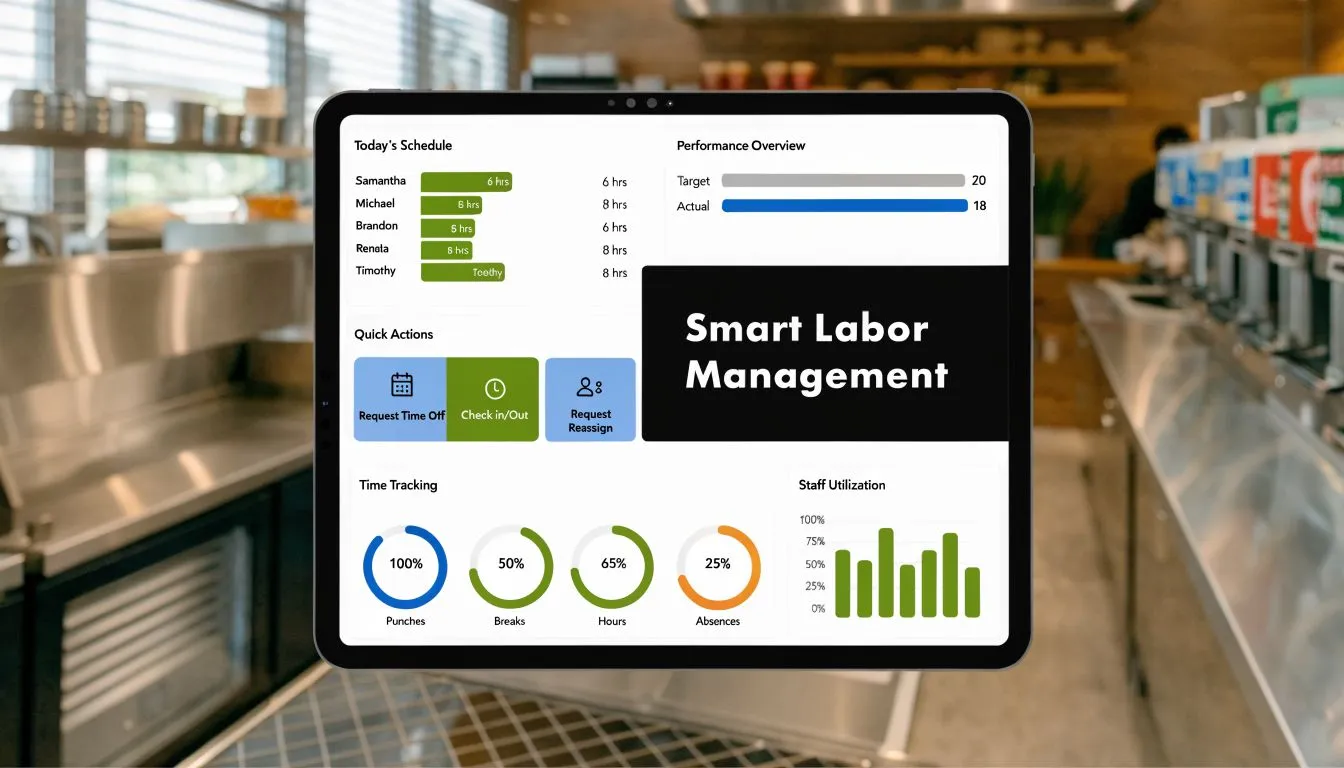
Modern QSR operations use integrated technology for exactly this reason. When operators sync POS data with labor systems, they can forecast staffing from sales history, watch labor costs during the shift, and automate admin tasks like tip-outs, according to Checkmate’s overview of QSR technology and operations. That’s a better operating model because it replaces guesswork with visibility.
A stronger pre-shift routine usually includes:
- Forecast sales by daypart: Don’t schedule lunch, afternoon, and dinner as if they behave the same.
- Staff to production points: Put labor where the order volume will create pressure.
- Check availability against role coverage: Having enough people isn’t enough if nobody can run the key stations.
- Set cut thresholds early: Decide in advance what sales conditions trigger a release.
Correct labor drift while you still can
Good managers make mid-shift adjustments without drama. They don’t wait until close to realize the labor target was missed hours ago.
That usually looks like small actions:
- Release selectively: Cut the least critical role first, not the role that protects throughput.
- Reassign before adding labor: Move someone from a quiet station to the bottleneck.
- Pause non-urgent tasks: Side work can wait if handoff speed is slipping.
- Watch channel pressure: A calm counter doesn’t mean the kitchen is calm if app and delivery volume are climbing.
The practical difference between strong and weak labor control is timing. If you react late, every option gets more expensive.
For managers trying to tighten their process, common errors usually come from avoidable habits like relying on gut-feel schedules, missing cut windows, and overloading key employees. A review of restaurant scheduling mistakes that cost money is often enough to spot what’s been quietly hurting margin.
What works in QSR is rarely glamorous. Clear station ownership. Realistic prep. Sales-based scheduling. Mid-shift corrections. Clean communication. Those basics keep the operation stable when volume turns unpredictable.
If labor is the part of your QSR that still feels harder than it should, AnchOps is built for that exact problem. It helps restaurant teams forecast labor from sales history, build schedules from availability, monitor labor drift during the shift, automate tip calculations, and clean up the admin work that keeps managers stuck in the office instead of running the floor.
Your back-of-house partner is ready
AnchOps handles scheduling, tip calculations, labor costs, and timecards — so you can focus on your restaurant, not your paperwork.